
Product
Repeat Notification Interval
Control how often Last9 re-notifies you while an alert stays firing. Configure a custom interval, cap the number of repeats, or turn off repeat notifications entirely with notify-once.
Control how often Last9 re-notifies your channels while an alert stays firing. You can set a custom interval, cap the number of reminders, or turn off repeats entirely (notify-once) — at both the organization level and per alert group.
Settings
There are three fields:
| Field | Description |
|---|---|
| Repeat while firing | Toggle. When on, Last9 keeps re-sending notifications while the alert stays firing. Turn off for notify-once behavior (one notification per firing episode). |
| Repeat interval (seconds) | How long to wait between repeat notifications. Default: 3600 (1 hour for threshold/anomaly alerts). |
| Maximum repeats | How many times to repeat per firing episode. Use -1 for unlimited. Set a positive integer to cap reminders. |
Two Levels of Configuration
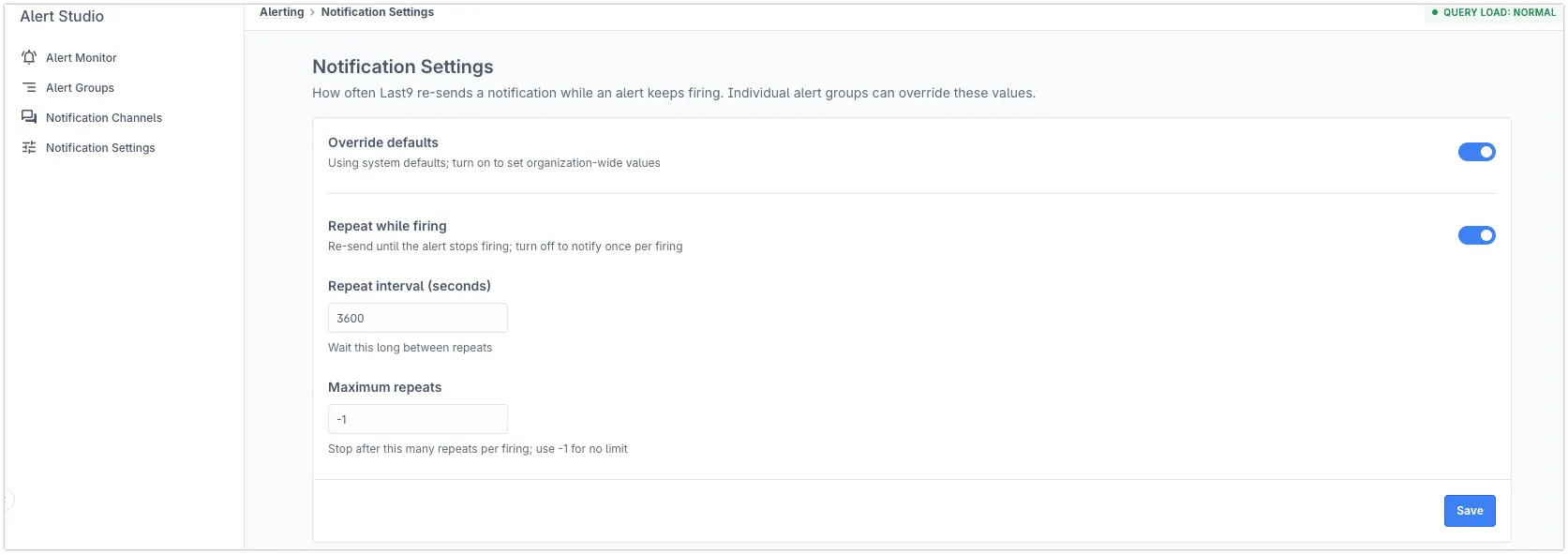
Organization-wide defaults
Set defaults that apply to all alert groups unless overridden.
- Navigate to Alerting → Notification Settings
- Enable Override defaults to unlock the fields
- Configure Repeat while firing, Repeat interval, and Maximum repeats
- Click Save
Per alert group
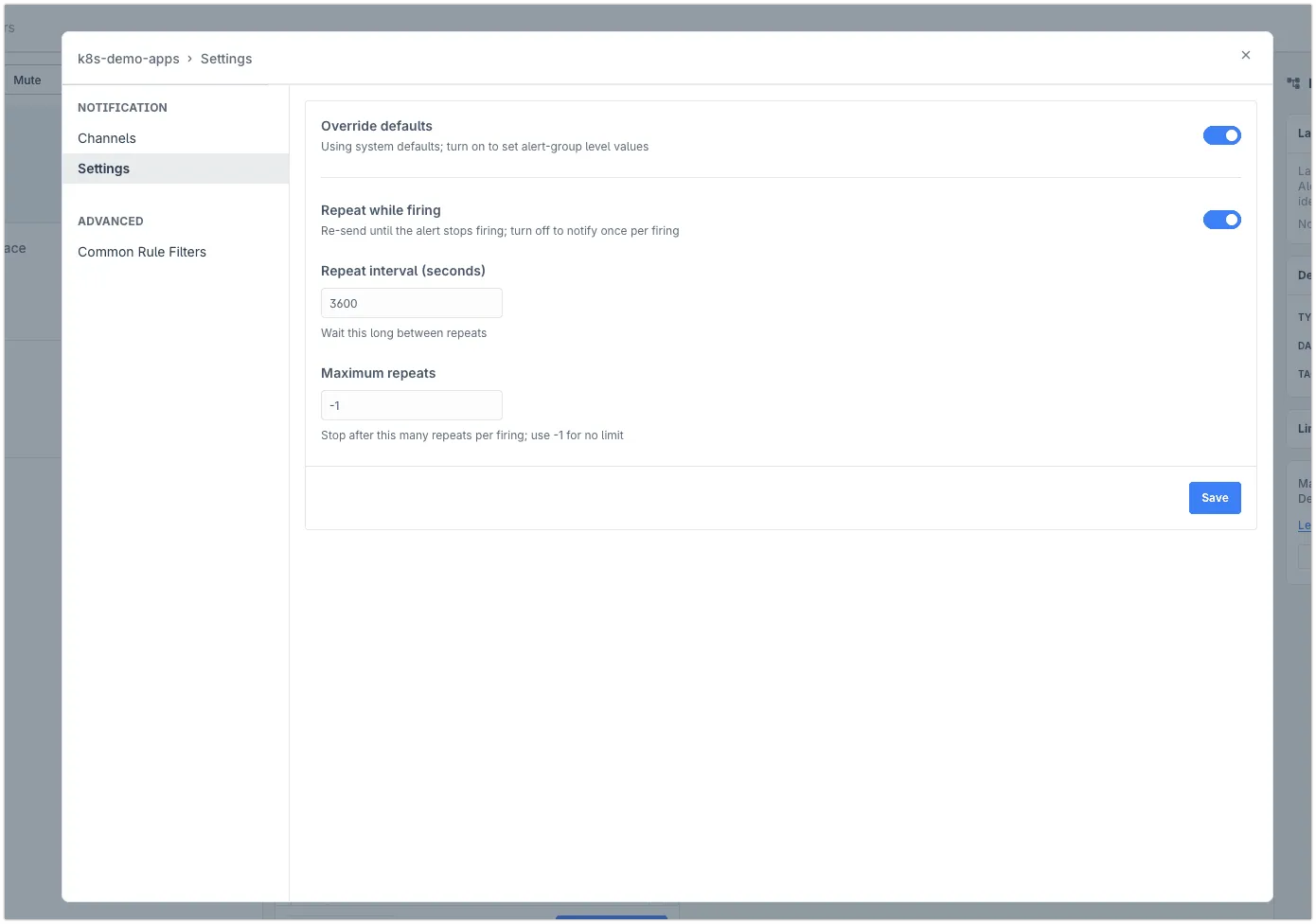
Override the org defaults for a specific alert group.
- Navigate to Alerting → Alert Groups → select an alert group
- Click the ⚙️ icon → Settings → Notifications → Settings tab
- Enable Override defaults to unlock per-group values
- Configure the fields and click Save
Common Configurations
Notify-once — one notification per firing episode, no reminders:
- Turn off Repeat while firing
Custom interval, unlimited repeats — re-notify every 30 minutes forever:
- Keep Repeat while firing on
- Set Repeat interval to
1800 - Set Maximum repeats to
-1
Capped reminders — re-notify every hour, stop after 3 reminders:
- Keep Repeat while firing on
- Set Repeat interval to
3600 - Set Maximum repeats to
3
Via Terraform
Configure renotify settings on a last9_entity resource using the three optional fields. Omit all three to inherit the org default.
Notify-once — suppress all repeat notifications:
resource "last9_entity" "api" {  name         = "api-service"  type         = "service"  entity_class = "alert-manager"  external_ref = "api-service-prod"
  renotify_enabled = false}
Custom interval with a cap:
resource "last9_entity" "api" {  name         = "api-service"  type         = "service"  entity_class = "alert-manager"  external_ref = "api-service-prod"
  renotify_enabled          = true  renotify_interval_seconds = 1800  # every 30 minutes  renotify_occurrences      = 3     # stop after 3 repeats}
Unlimited repeats — re-notify forever at a custom interval:
renotify_enabled = true renotify_interval_seconds = 3600 renotify_occurrences = -1To reset a group back to org defaults, remove all three renotify_* fields and run terraform apply.
Default Behavior
If you don’t override, the system default applies: Repeat while firing on, interval 3600 seconds, no cap.
Existing alert groups are unaffected unless you explicitly change settings.
Notes
- Settings apply to all notification channels (Slack, email, webhook, PagerDuty, OpsGenie, Flock, GoAlert)
- Per-group settings take precedence over org-wide defaults when Override defaults is on
- A new firing episode (resolved → fires again) resets the repeat counter
- SLO alerts: The repeat interval for SLO alerts is derived from the SLO window and is not configurable via this setting. The org/group settings apply to threshold and anomaly alert groups only.
Troubleshooting
Please get in touch with us on Discord or Email if you have any questions.