
Product
Notification Channels
How to use Slack, PagerDuty, Opsgenie, MS Teams, Flock, Google Chat, Telegram, Jira, Zenduty, webhooks, and email for getting alert notifications.
Notification Channels are destinations for Last9 to send alert notifications. We support the following channel types: Slack, PagerDuty, Opsgenie, Webhook, and Email. The Webhook channel supports auto-detection for MS Teams, Flock, Google Chat, Telegram, Jira, and Zenduty.
Open the Channels section from the Alerting sidebar to see every configured channel, its Usage (the alert groups and scheduled searches using it), and whether Send Resolved is enabled. Use Add Channel to create one and Settings for channel defaults.
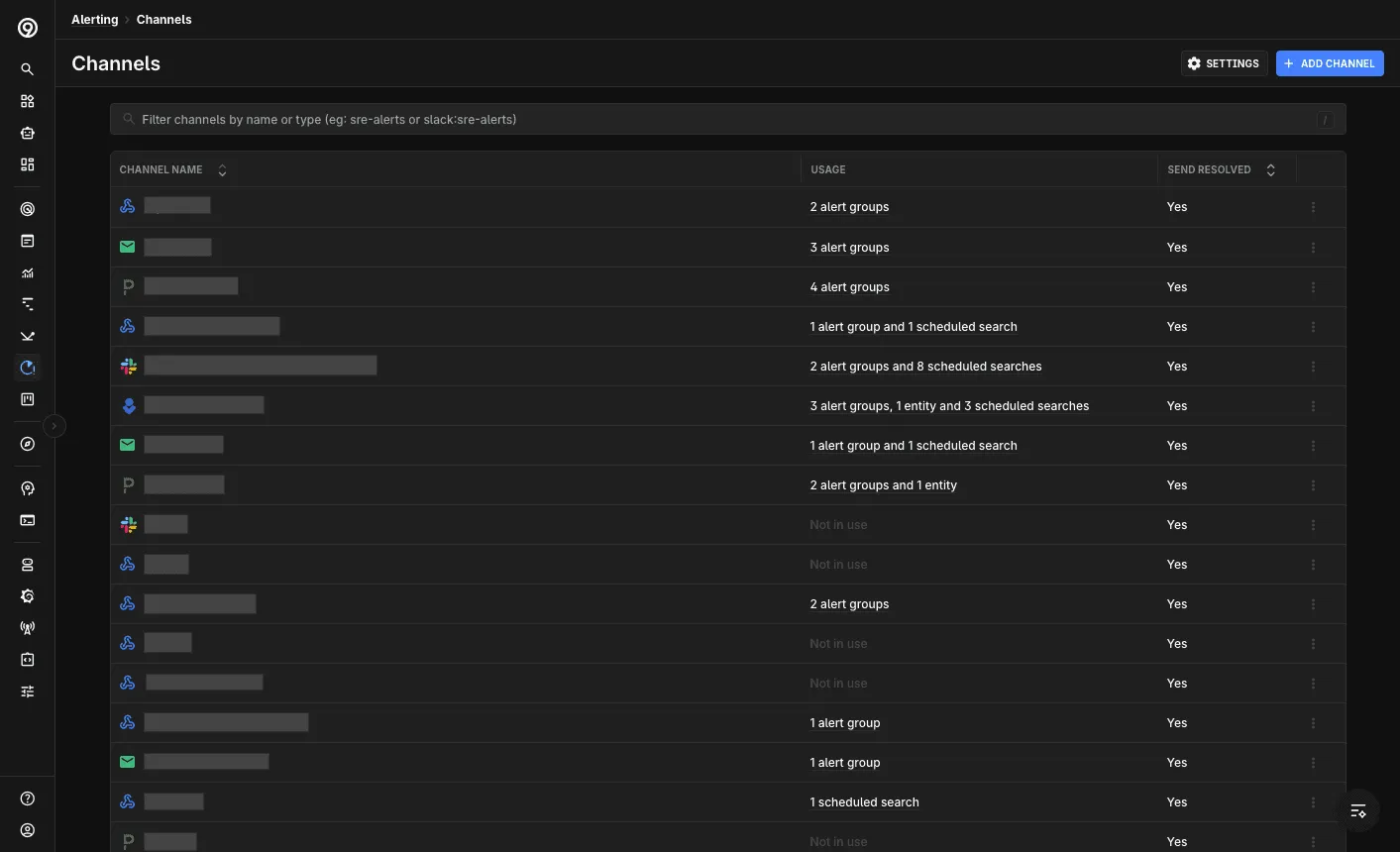
Adding a Notification Channel
-
Navigate to Notification Channels and click Add Channel
-
Provide the following details:
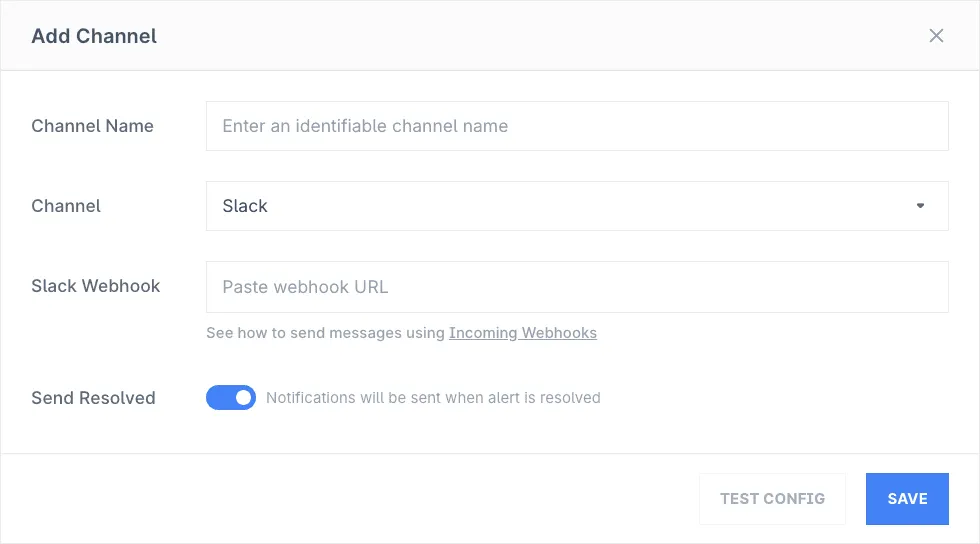
- Channel Name: Descriptive name to easily identify channel destination
- Channel: Choose a channel from the supported integrations list
- Webhook/API Key/Email: Provide the relevant details for the selected channel
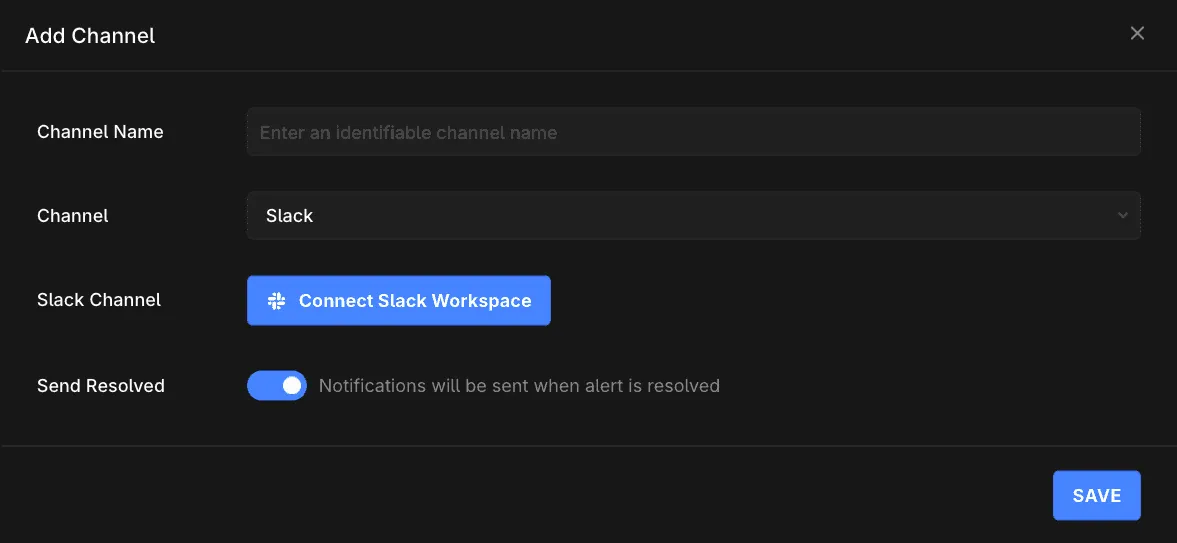
- Slack: Install the Last9 Slack App and pick the destination channel from a dropdown — no webhook URL needed. Setup guide
- PagerDuty: See how to use the PagerDuty Events V2 API
- Email: Enter the email IDs to be notified
- Opsgenie: Enter the API key
- Webhook: Enter the webhook URL. Last9 auto-detects and formats for the following platforms:
- MS Teams (
.webhook.office.com) - Setup guide - Flock (
api.flock.com,flock.co) - Setup guide - Google Chat (
chat.googleapis.com) - Setup guide - Telegram (
api.telegram.org) - RequiresTELEGRAM_CHAT_IDheader. Setup guide - Jira (
atlassian.net) - RequiresJIRA_PROJECT_NAME_KEYheader. Setup guide - Zenduty (
events.zenduty.com) - Setup guide
- MS Teams (
- Send Resolved: Enable if you want to be notified when an alert has been resolved, useful for automation of incident management
-
For Slack, click Connect Slack Workspace and pick the destination channel from the dropdown — no webhook URL needed. See the Slack setup guide for details.
-
Click on Save to enable this channel. This channel can now be used in Alert Groups or Scheduled Search to start receiving notification
Usage of a Notification Channel
The Usage column on the Channels page shows how many alert groups or scheduled searches use each channel. Click a channel’s Usage entry to see the list and jump to any of them.
Channel Reference
Each channel has its own page with setup steps and, where applicable, the JSON payload Last9 sends:


Troubleshooting
Please get in touch with us on Discord or Email if you have any questions.