
Product
Audit Trail
Track changes to your Last9 configuration — who did what and when — with filters by user, resource type, and action, plus CSV export
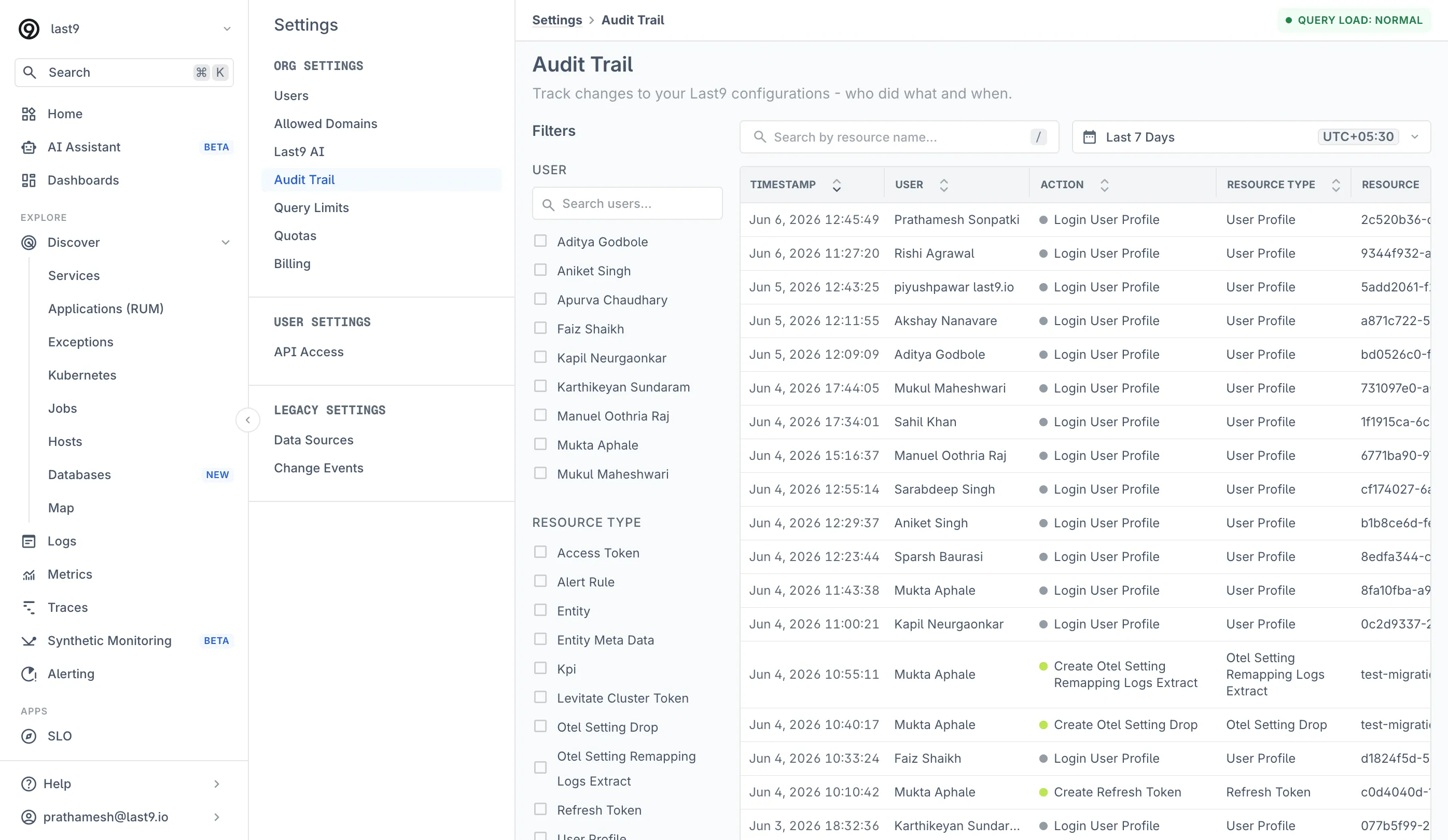
The Audit Trail records changes to your Last9 configuration — who did what and when. Use it to answer questions like “who edited this alert rule,” “when was this token created,” or “who logged in last week.”
Navigate to Settings > Audit Trail to view it. Admin access is required.
What Gets Recorded
Each event captures the timestamp, the user who performed the action, the action itself, the resource type, and the affected resource. Recorded activity includes:
- Logins — every user sign-in
- Tokens — creation of access tokens, refresh tokens, and cluster tokens
- Alerting — alert rules and KPIs created or updated, with the entity they belong to, and alert acknowledgements claimed, reassigned, or released
- Control Plane — drop rules and remapping settings created or changed
- Users — role changes and user management actions
The resource types and actions available in the filters reflect the activity that has actually occurred in your organization.
Filtering Events
The left sidebar filters the event table by:
- User — one or more organization members
- Resource Type — e.g. Alert Rule, Access Token, Refresh Token, Drop Rule
- Action — e.g. Create Alert Rule, Update Alert Rule, Login
Combine filters with the resource name search and the time range picker to narrow to a specific change — for example, all alert rule updates by one user in the last 24 hours.
Click any column header to sort. Where a resource belongs to an entity (such as an alert rule on a service), the entity is shown alongside the resource.
Exporting
Click Download CSV to export the currently filtered events for compliance reviews or offline analysis. The table paginates with Load More; the export covers the filtered result set.
Troubleshooting
Please get in touch with us on Discord or Email if you have any questions.