
Product
Anomaly Algorithms (Legacy)
Reference for Last9's legacy Anomaly algorithms (anomalous pattern detection) and guidelines on when to use them.
Supported algorithms
Last9 supports four Anomaly algorithms: High Spike, Low Spike, Increasing Changepoint, and Decreasing Changepoint. Each matches one kind of pattern and fires when it sees it.
Spikes
A spike is a sudden jump or drop over a short window. Both variants compare each point against the last 60 minutes to decide whether the change is large enough to flag.
- High Spike — sudden jumps. Good for signals like 4xx counts, throughput, and edge hits.
- Low Spike — sudden drops. Good for signals like CPU utilization, cache hit rate, and availability.
Eligible signals
High Spike


Low Spike


Changepoints
A changepoint is a sustained shift to a new level — a lasting change in pattern, not a one-off spike. A point is flagged when it sits too far from the last hour of data; a single jump (or a few) won’t trigger it.
- Increasing Changepoint — a sustained shift up to a higher level.
- Decreasing Changepoint — a sustained shift down to a lower level.
Eligible signals


Configuring sensitivity
Each Anomaly algorithm takes a sensitivity value from 0 to 10 (decimals are accepted). The lower the value, the more sensitive the algorithm — so it triggers on smaller deviations. The rule editor’s preview simulates triggers against recent data as you adjust the query, algorithm, and sensitivity, so you can find a balance you’re comfortable with before saving.
Choosing an algorithm
Use a pattern-matching algorithm only when a human looking at the plot can clearly mark where alerts should and shouldn’t fire. If you can’t spot the deviation by eye, no algorithm will.
-
Define normal. Look at the signal over a relevant span and mark where it deviates enough to alert.
-
Identify the pattern. Spikes and level shifts differ by signal — a sharp CPU spike may be normal, the same on a business metric may not. Know the process behind the signal.
-
Prefer PromQL when it fits. If the deviation can be expressed as relative values, percentages, or rollups, write it in PromQL. For example, to alert when a signal leaves the min/max of its 15-minute medians over the last 2 days (±20%):
s < min_over_time(median_over_time(s)[15m])[2d]*0.8 || s > max_over_time(median_over_time(s)[15m])[2d]*0.8where
sis the signal metric. -
Otherwise, use an algorithm. If the pattern can’t be expressed that way, pick the algorithm that matches it — and know its limits.
When an Anomaly algorithm isn’t the fit
A pattern-matching algorithm only works when a human looking at the plot can clearly mark where alerts should and shouldn’t fire. Use an Anomaly algorithm for a specific behavior — a spike or a changepoint. For everything else, reach for a static threshold or Adaptive Alerting (the simpler, recommended path for general anomaly detection).
Use a static threshold
For signals that sit at fixed or discrete values, or stay idle with occasional activity — a spike or trend algorithm would alert on every blip:

Mostly zero with sparse spikes.

Bursts around a fixed level with idle gaps.

A handful of discrete states (here 0, 1, 2) — alert on a specific value.
Use Adaptive
For noisy or drifting signals that still have a learnable baseline — Adaptive models the normal band and flags deviations from it:
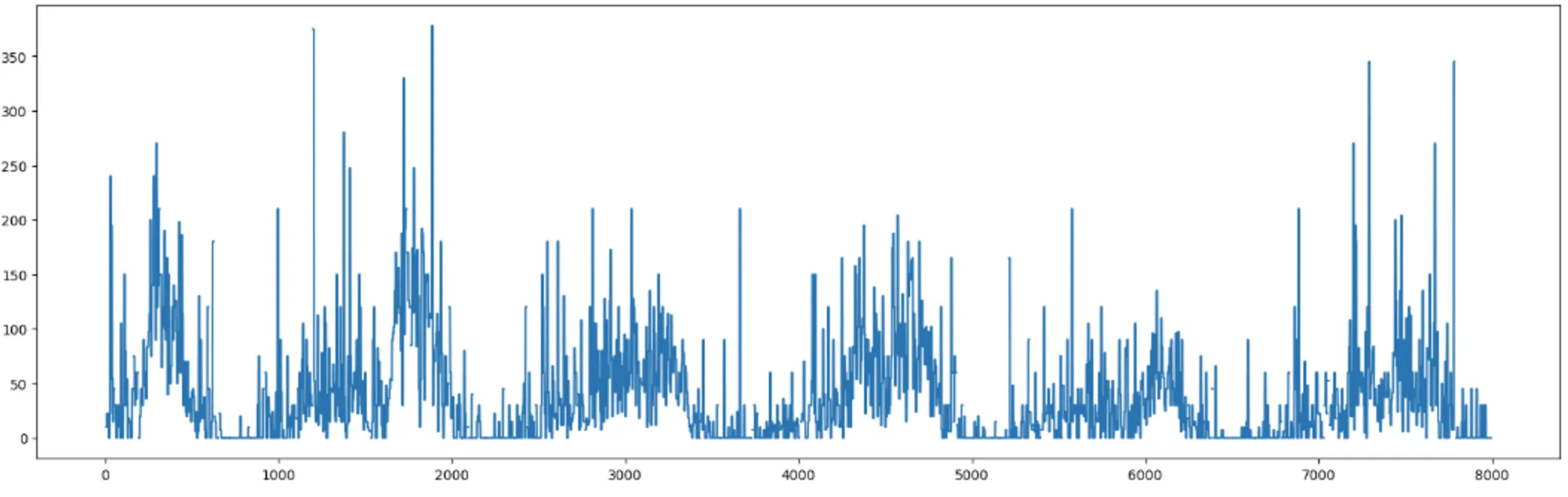
Continuously noisy with no fixed pattern.
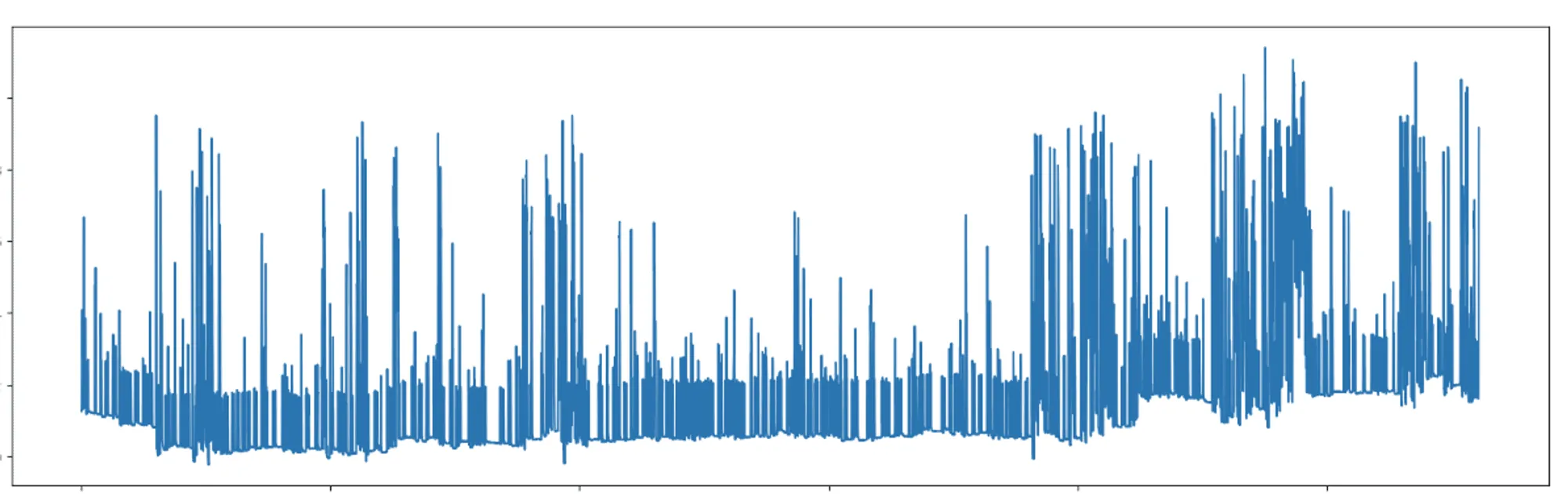
Noisy, with a baseline that drifts over time.

A level that grows or steps up over time — a fixed threshold would constantly trip, but Adaptive tracks the moving baseline.
Troubleshooting
Please get in touch with us on Discord or Email if you have any questions.