


Python powers critical applications across countless organizations, from data processing pipelines to web services that handle millions of requests. While Python’s readability and extensive ecosystem make it a developer favorite, its performance characteristics require thoughtful monitoring.
As systems grow in complexity, understanding what’s happening inside your Python applications becomes increasingly important. Memory leaks, CPU bottlenecks, and slow database queries can all impact user experience and operational costs.
This guide provides practical approaches to Python performance monitoring for DevOps engineers and SREs responsible for maintaining reliable Python systems.
What Is Python Performance Monitoring?
Python performance monitoring is the practice of tracking and analyzing various metrics about your Python applications to understand their behavior, identify bottlenecks, and optimize their performance.
Unlike general application monitoring, Python-specific monitoring focuses on the unique characteristics of the language, such as its memory management, Global Interpreter Lock (GIL), and execution patterns.
If you’re also rethinking how your Python apps handle logs, check out our guide on Python logging best practices.
Why Python Performance Needs Special Attention
Python is an interpreted language with dynamic typing, which offers great flexibility but comes with performance trade-offs compared to compiled languages. Several Python-specific characteristics impact performance:
- The Global Interpreter Lock (GIL): The GIL allows only one thread to execute Python bytecode at a time, which can limit CPU-bound performance in multithreaded applications.
- Dynamic Typing: While convenient for development, dynamic typing requires type checking at runtime, adding overhead.
- Memory Management: Python’s automatic memory management with garbage collection is convenient but can lead to unpredictable pauses.
- Interpreted Execution: Python code is interpreted rather than compiled to machine code, causing inherent performance overhead.
These characteristics make monitoring particularly important for Python applications, especially as they scale.
Key Metrics to Track
| Metric Type | Examples | Why It Matters |
|---|---|---|
| CPU Usage | Overall utilization, per-process usage | Identifies compute bottlenecks |
| Memory | Heap size, garbage collection frequency | Prevents memory leaks and OOM errors |
| Response Time | Average, percentiles (p95, p99) | Ensures consistent user experience |
| Throughput | Requests per second, transactions per minute | Measures system capacity |
| Error Rates | Exceptions, stack traces | Indicates code quality issues |
| Custom Business Metrics | User actions, business transactions | Connects technical and business performance |
For teams working with FastAPI applications, our guide on FastAPI Performance Monitoring and Optimization Techniques provides specific strategies to improve reliability in production environments.
How to Set Up Basic Python Performance Monitoring
Getting started with Python performance monitoring doesn’t have to be complex. Here’s how to implement the fundamentals:
Install Essential Libraries
The Python ecosystem offers several great libraries for performance monitoring:
# Install via pippip install psutil # System utilization monitoringpip install py-spy # Sampling profilerpip install prometheus_client # Metrics collectionpip install opentelemetry-api opentelemetry-sdk # Distributed tracingCreate a Simple Monitoring Script
For basic system-level monitoring, you can use psutil to track your application’s resource usage:
import psutilimport timeimport logging
logging.basicConfig(level=logging.INFO)logger = logging.getLogger(__name__)
def monitor_application(pid, interval=5):    """Monitor a Python process and log its resource usage."""    process = psutil.Process(pid)
    while True:        try:            # Get CPU and memory usage            cpu_percent = process.cpu_percent(interval=0.1)            memory_info = process.memory_info()
            logger.info(f"PID {pid} - CPU: {cpu_percent}% - Memory: {memory_info.rss / 1024 / 1024:.2f} MB")
            time.sleep(interval)        except psutil.NoSuchProcess:            logger.error(f"Process {pid} no longer exists")            break        except Exception as e:            logger.error(f"Monitoring error: {e}")            break
# Example usage: monitor_application(your_app_pid)
Integrate with Prometheus for Metrics Collection
For more robust monitoring, Prometheus is a popular choice:
from prometheus_client import start_http_server, Summary, Counter, Gaugeimport randomimport time
# Create metricsREQUEST_TIME = Summary('request_processing_seconds', 'Time spent processing request')REQUESTS = Counter('hello_worlds_total', 'Hello World requests made')ACTIVE_REQUESTS = Gauge('active_requests', 'Number of active requests')
# Decorate function with metric@REQUEST_TIME.time()def process_request():    """A dummy function that takes some time."""    ACTIVE_REQUESTS.inc()    time.sleep(random.uniform(0.1, 0.3))    ACTIVE_REQUESTS.dec()    REQUESTS.inc()
if __name__ == '__main__': # Start up the server to expose the metrics start_http_server(8000) # Generate some requests while True: process_request()If you’re implementing a comprehensive logging strategy, check out our article on Python Loguru: A Complete Guide for Effective Application Logging that complements your performance monitoring setup.
Advanced Techniques for Python Performance Monitoring
Once you’ve mastered the basics, you can move on to more sophisticated monitoring approaches:
Implement Distributed Tracing
Distributed tracing helps you follow requests across multiple services or components:
from opentelemetry import tracefrom opentelemetry.sdk.trace import TracerProviderfrom opentelemetry.sdk.trace.export import BatchSpanProcessorfrom opentelemetry.exporter.otlp.proto.grpc.trace_exporter import OTLPSpanExporter
# Set up the tracertrace.set_tracer_provider(TracerProvider())tracer = trace.get_tracer(__name__)
# Set up the exporterotlp_exporter = OTLPSpanExporter(endpoint="your-collector-endpoint:4317")span_processor = BatchSpanProcessor(otlp_exporter)trace.get_tracer_provider().add_span_processor(span_processor)
# Use the tracer in your code@app.route('/api/data')def get_data():    with tracer.start_as_current_span("get_data") as span:        span.set_attribute("service.name", "api-service")
        # Add your function logic here        result = process_data()
        span.set_attribute("data.items", len(result))        return result
Profile Code Execution
Finding performance bottlenecks often requires profiling:
import cProfileimport pstatsimport io
def profile_func(func):    """Decorator to profile a function."""    def wrapper(*args, **kwargs):        pr = cProfile.Profile()        pr.enable()        result = func(*args, **kwargs)        pr.disable()        s = io.StringIO()        ps = pstats.Stats(pr, stream=s).sort_stats('cumulative')        ps.print_stats(15)  # Print top 15 time-consuming functions        print(s.getvalue())        return result    return wrapper
@profile_funcdef your_function():    # Your code here    pass
Monitor Memory Usage with Tracemalloc
Python’s built-in tracemalloc module can help you track memory allocations:
import tracemallocimport linecacheimport os
def display_top(snapshot, key_type='lineno', limit=10):    """Display the top memory using lines/files."""    snapshot = snapshot.filter_traces((        tracemalloc.Filter(False, "<frozen importlib._bootstrap>"),        tracemalloc.Filter(False, "<unknown>"),    ))    top_stats = snapshot.statistics(key_type)
    print(f"Top {limit} lines")    for index, stat in enumerate(top_stats[:limit], 1):        frame = stat.traceback[0]        # Get the file and line where the memory was allocated        filename = os.path.basename(frame.filename)        line = linecache.getline(frame.filename, frame.lineno).strip()        print(f"#{index}: {filename}:{frame.lineno}: {line}")        print(f"    Size: {stat.size / 1024:.1f} KB")
    total = sum(stat.size for stat in top_stats)    print(f"Total allocated memory: {total / 1024:.1f} KB")
# Usage exampletracemalloc.start()# ... run your code ...snapshot = tracemalloc.take_snapshot()display_top(snapshot)
Common Python Performance Issues and How to Solve Them
Understanding typical performance problems can help you fix them before they hurt your application:
CPU-Bound Bottlenecks
Problem: The GIL (Global Interpreter Lock) limits truly parallel execution in Python.
Solution: Use multiprocessing instead of threading for CPU-intensive tasks:
from multiprocessing import Pool
def cpu_intensive_task(data):    # Your CPU-heavy calculation here    result = complex_calculation(data)    return result
if __name__ == '__main__':    data_chunks = split_data(your_large_dataset)
# Process data in parallel using multiple processes with Pool(processes=4) as pool: results = pool.map(cpu_intensive_task, data_chunks)Understanding memory-related failures is critical for Python applications - learn how to identify and prevent them in our technical breakdown of What is OOM (Out of Memory): Causes, Detection and Prevention.
Memory Leaks
Problem: Objects that aren’t properly garbage collected cause growing memory usage.
Solution: Use weak references and explicitly clear references to large objects:
import weakrefimport gc
class Cache:    def __init__(self):        self._cache = {}
    def add(self, key, value):        self._cache[key] = weakref.ref(value)
    def get(self, key):        ref = self._cache.get(key)        if ref is not None:            return ref()  # Dereference weakref        return None
    def clear(self):        self._cache.clear()        gc.collect()  # Force garbage collection
Slow Database Queries
Problem: Inefficient database interactions can cause major slowdowns.
Solution: Use connection pooling and optimize query patterns:
import psycopg2from psycopg2 import pool
# Create a connection poolconnection_pool = pool.SimpleConnectionPool(    1, 20,    database="your_db",    user="username",    password="password",    host="localhost")
def get_data(query, params=None):    conn = connection_pool.getconn()    try:        with conn.cursor() as cur:            cur.execute(query, params or ())            return cur.fetchall()    finally:        connection_pool.putconn(conn)  # Return connection to pool
How to Choose the Right Monitoring Tools
While building a custom Python monitoring setup is possible, it’s often more practical—and faster—to use existing tools. They come with battle-tested features, save dev time, and help you focus on building instead of debugging infrastructure.
Here’s a breakdown of popular Python performance monitoring options:
Last9
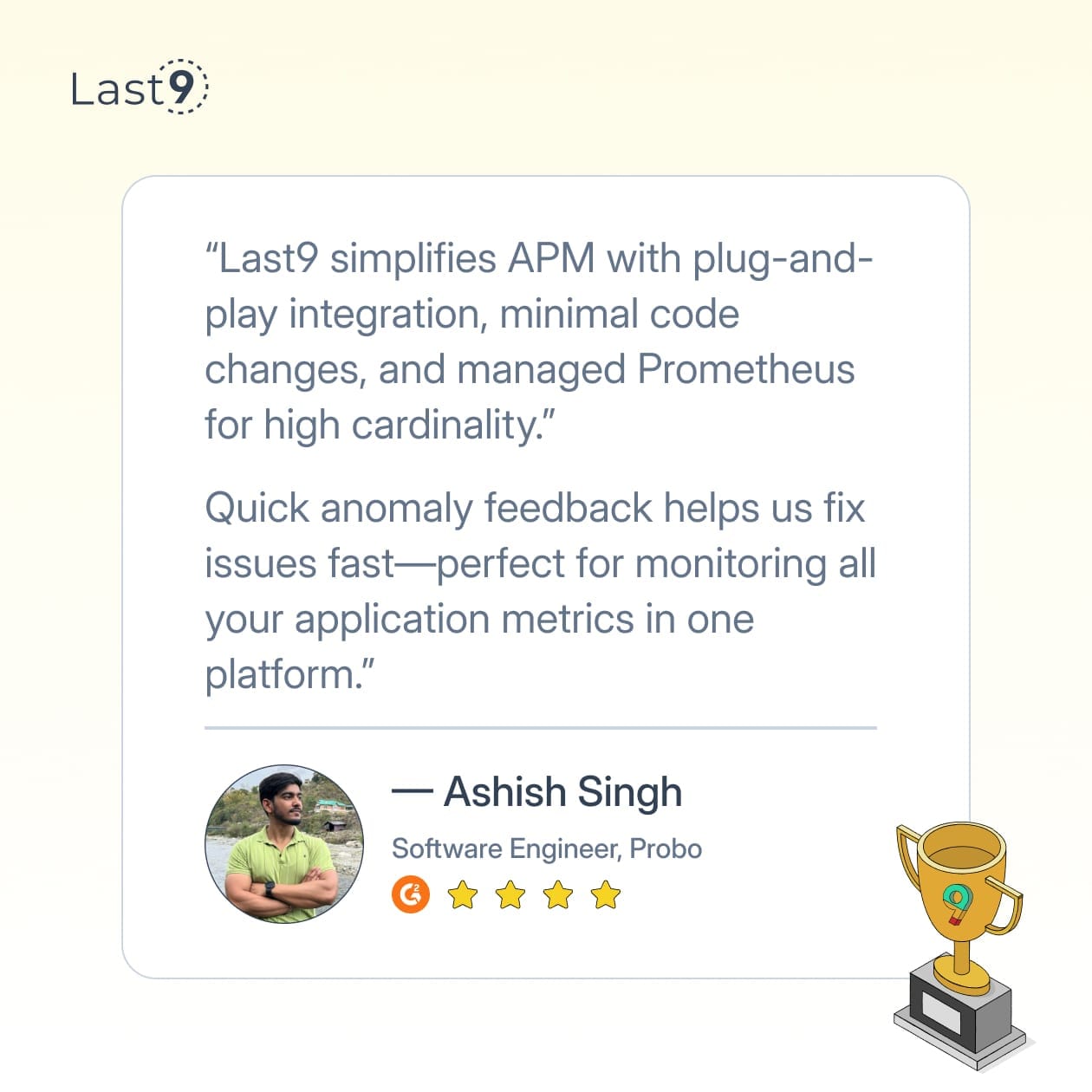
Last9 is a managed observability platform built to handle high-cardinality data at scale. It integrates natively with OpenTelemetry and Prometheus, bringing metrics, logs, and traces together under one roof.
- Used by teams at Probo, CleverTap, and Replit
- Real-time insights with cost-efficient storage
- Ideal for both startups and large-scale Python deployments
- Built-in support for high-cardinality and dimensionality-heavy use cases
Prometheus + Grafana
This open-source combo is the backbone of many monitoring setups.
- Prometheus handles metric collection and storage with a pull-based model and PromQL support
- Grafana offers a flexible UI for dashboards, alerts, and annotations
- Scales well with app growth and supports a wide range of integrations
- Ideal for Python applications needing customizable visualizations and deep metric querying
Jaeger
Perfect for microservices-heavy Python applications, Jaeger brings distributed tracing to the mix.
- Tracks requests across services to reveal latency and dependency bottlenecks
- Visualizes the full request path from start to finish
- Helps uncover issues hidden in service-to-service communication
- Valuable when debugging complex request flows in production
Sentry
Sentry is known for combining error tracking with lightweight performance monitoring.
- Captures stack traces, user context, and exception metadata
- Monitors API call latencies and database query bottlenecks
- Easy SDK integration with popular Python frameworks
- Lets you assign and resolve issues directly within the UI
PyInstrument
Looking for a low-overhead profiler? PyInstrument’s statistical approach makes it production-friendly.
- Samples call stacks without significant runtime cost
- Focuses on wall-clock time to highlight I/O and library delays
- Simple, readable reports that highlight performance hotspots
- Great for identifying slow code paths without sifting through noise
py-spy
py-spy is your go-to when you can’t touch production code or restart services.
- Attaches to live Python processes with zero code changes
- Generates flame graphs and top-like views for real-time analysis
- Ideal for debugging long-running processes or emergency triage
- Non-invasive and safe for use in live environments
Now, fix production performance issues in your Python apps—right from your IDE, with AI and Last9 MCP. Bring real-time context—logs, metrics, and traces—into your local setup to debug and fix faster.
How to Monitor Python in Containerized Environments
Many Python applications now run in containers and orchestrated environments like Kubernetes, which adds another layer to your monitoring strategy:
Docker Monitoring
When running Python in Docker containers, consider these approaches:
# Using the Docker SDK for Python to monitor containersimport docker
client = docker.from_env()
def monitor_python_containers():    """Monitor all running Python containers."""    for container in client.containers.list():        stats = container.stats(stream=False)
        # Check if this is a Python container (based on image name or labels)        if 'python' in container.image.tags[0].lower() or container.labels.get('language') == 'python':            memory_usage = stats['memory_stats']['usage'] / (1024 * 1024)  # Convert to MB            cpu_percent = calculate_cpu_percent(stats)
            print(f"Container {container.name}: CPU {cpu_percent:.2f}% MEM {memory_usage:.2f}MB")
def calculate_cpu_percent(stats):    """Calculate CPU percentage from Docker stats."""    cpu_delta = stats['cpu_stats']['cpu_usage']['total_usage'] - \                stats['precpu_stats']['cpu_usage']['total_usage']    system_delta = stats['cpu_stats']['system_cpu_usage'] - \                   stats['precpu_stats']['system_cpu_usage']
    if system_delta > 0 and cpu_delta > 0:        return (cpu_delta / system_delta) * len(stats['cpu_stats']['cpu_usage']['percpu_usage']) * 100
    return 0.0
Kubernetes Monitoring
For Python apps running in Kubernetes:
- Use Prometheus Kubernetes Operator: This automatically discovers and monitors Python pods.
- Add Kubernetes-specific metrics: Track pod restarts, resource limits vs. usage, and pod health.
- Implement OpenTelemetry with K8s context: Enrich traces with K8s metadata:
from opentelemetry import tracefrom opentelemetry.sdk.resources import Resourceimport os
# Get Kubernetes metadata from environment variablesk8s_resource = Resource.create({    "k8s.namespace.name": os.environ.get("NAMESPACE", "unknown"),    "k8s.pod.name": os.environ.get("POD_NAME", "unknown"),    "k8s.container.name": os.environ.get("CONTAINER_NAME", "unknown"),    "service.name": "your-python-app"})
# Configure the tracer with K8s resource informationtracer_provider = TracerProvider(resource=k8s_resource)trace.set_tracer_provider(tracer_provider)When monitoring Python applications in containerized environments, explore our comparison of 10 Kubernetes Monitoring Tools for Production Environments to extend your observability stack.
Framework-Specific Monitoring Considerations
Different Python web frameworks have unique performance characteristics:
Django
For Django applications, monitor:
- Template rendering time
- ORM query performance
- Middleware execution time
- Cache hit/miss rates
# Django middleware for performance monitoringfrom django.utils.deprecation import MiddlewareMixinimport timefrom prometheus_client import Histogram
REQUEST_TIME = Histogram('django_request_duration_seconds', 'Django request duration in seconds',                        ['view_name', 'method'])
class PerformanceMonitoringMiddleware(MiddlewareMixin):    def process_request(self, request):        request.start_time = time.time()
    def process_response(self, request, response):        if hasattr(request, 'start_time'):            resp_time = time.time() - request.start_time            if hasattr(request, 'resolver_match') and request.resolver_match:                view_name = request.resolver_match.view_name or 'unknown'                REQUEST_TIME.labels(view_name=view_name, method=request.method).observe(resp_time)        return response
Flask
For Flask apps, focus on:
- Request handling time
- Extension overhead
- Route complexity
# Flask performance monitoringfrom flask import Flask, request, gimport timefrom prometheus_client import Counter, Histogram
app = Flask(__name__)
REQUEST_COUNT = Counter('flask_requests_total', 'Total Flask requests', ['method', 'endpoint'])REQUEST_LATENCY = Histogram('flask_request_latency_seconds', 'Flask request latency',                           ['method', 'endpoint'])
@app.before_requestdef before_request():    g.start_time = time.time()    REQUEST_COUNT.labels(method=request.method, endpoint=request.endpoint).inc()
@app.after_requestdef after_request(response):    latency = time.time() - g.start_time    REQUEST_LATENCY.labels(method=request.method, endpoint=request.endpoint).observe(latency)    return response
FastAPI
For FastAPI apps, monitor:
- Async function performance
- Dependency injection overhead
- Pydantic validation time
# FastAPI middleware for performance monitoringfrom fastapi import FastAPI, Requestimport timefrom prometheus_client import Counter, Histogram
app = FastAPI()
REQUEST_COUNT = Counter('fastapi_requests_total', 'Total FastAPI requests', ['method', 'endpoint'])REQUEST_LATENCY = Histogram('fastapi_request_latency_seconds', 'FastAPI request latency',                           ['method', 'endpoint'])
@app.middleware("http")async def monitor_requests(request: Request, call_next):    start_time = time.time()
    # Get the route path (or a placeholder if matching fails)    route = request.url.path    for route_handler in request.app.router.routes:        match, scope = route_handler.matches({"type": "http", "path": request.url.path})        if match:            route = route_handler.path            break
    REQUEST_COUNT.labels(method=request.method, endpoint=route).inc()
    response = await call_next(request)
    latency = time.time() - start_time    REQUEST_LATENCY.labels(method=request.method, endpoint=route).observe(latency)
return responseTrying to decide what to pair with your Python monitoring setup? This comparison of ELK, Grafana, and Prometheus breaks down the trade-offs.
Performance Monitoring Best Practices
To get the most out of your monitoring efforts:
1. Establish a Baseline
Before you can improve performance, you need to know what “normal” looks like. Collect metrics during typical operation to establish your baseline.
2. Focus on User-Impacting Metrics
While it’s tempting to track everything, focus first on metrics that directly affect user experience, like response time and error rates.
3. Correlate Metrics with Business Impact
Connect technical metrics to business outcomes. For example, understand how response time affects conversion rates or user engagement.
4. Create Custom Metrics for Your Domain
Generic metrics are useful, but custom metrics tailored to your application can provide deeper insights:
# Custom metrics for an e-commerce applicationORDER_VALUE = Summary('order_value_dollars', 'Value of customer orders')CHECKOUT_TIME = Histogram('checkout_time_seconds', 'Time to complete checkout')INVENTORY_ITEMS = Gauge('inventory_items', 'Current inventory levels', ['product_id'])
def process_order(order):    # Track the order value    ORDER_VALUE.observe(order.total_amount)
    # Track how long checkout took    CHECKOUT_TIME.observe(order.checkout_duration)
    # Update inventory levels    for item in order.items:        current_stock = get_stock_level(item.product_id)        INVENTORY_ITEMS.labels(product_id=item.product_id).set(current_stock)
5. Automate Remediation Where Possible
Set up automated responses to common issues:
def handle_high_memory_usage(process_id, threshold_mb=1000):    """Monitor and restart a process if memory usage gets too high."""    p = psutil.Process(process_id)
    memory_mb = p.memory_info().rss / (1024 * 1024)    if memory_mb > threshold_mb:        logger.warning(f"Process {process_id} using {memory_mb}MB RAM. Restarting...")        p.terminate()        # Logic to restart the service        start_new_process()        return True
    return False
6. Monitor Different Python Workload Types
Different Python applications have distinct monitoring needs:
Data Science & ML Workloads
For data science and machine learning applications:
- Monitor GPU utilization and memory
- Track batch processing times
- Measure model inference latency
- Monitor memory usage during data transformations
# Example monitoring for ML model inferenceimport timefrom prometheus_client import Summary, Counter, Gauge
# MetricsMODEL_INFERENCE_TIME = Summary('model_inference_seconds', 'Time for model inference')INFERENCE_REQUESTS = Counter('model_inference_requests_total', 'Total inference requests')GPU_MEMORY_USAGE = Gauge('gpu_memory_usage_bytes', 'GPU memory usage in bytes')
def monitor_model_inference(model, input_data):    INFERENCE_REQUESTS.inc()
    # Measure inference time    start_time = time.time()    result = model.predict(input_data)    inference_time = time.time() - start_time
    MODEL_INFERENCE_TIME.observe(inference_time)
    # If using a library like pytorch with GPU support    if hasattr(model, 'gpu_memory_allocated'):        GPU_MEMORY_USAGE.set(model.gpu_memory_allocated())
    return result
Web Applications
For web-facing Python applications:
- Focus on request latency across different percentiles
- Monitor concurrent users and request rates
- Track database connection pool usage
- Measure cache hit/miss ratios
7. Visualize Performance Data Effectively
Good visualization helps spot trends and issues quickly:
# Using Dash for Python performance visualizationimport dashfrom dash import dcc, htmlimport plotly.graph_objs as goimport pandas as pd
# Sample performance datadf = pd.DataFrame({    'timestamp': pd.date_range(start='2023-01-01', periods=100, freq='H'),    'cpu_usage': [random.randint(10, 90) for _ in range(100)],    'memory_usage': [random.randint(200, 800) for _ in range(100)],    'response_time': [random.uniform(0.1, 2.0) for _ in range(100)]})
app = dash.Dash(__name__)
app.layout = html.Div([    html.H1('Python Application Performance Dashboard'),
    dcc.Graph(        id='cpu-memory-graph',        figure={            'data': [                go.Scatter(x=df['timestamp'], y=df['cpu_usage'], name='CPU Usage %'),                go.Scatter(x=df['timestamp'], y=df['memory_usage'], name='Memory Usage MB', yaxis='y2')            ],            'layout': go.Layout(                title='CPU and Memory Usage Over Time',                xaxis={'title': 'Time'},                yaxis={'title': 'CPU %'},                yaxis2={'title': 'Memory (MB)', 'overlaying': 'y', 'side': 'right'}            )        }    ),
    dcc.Graph(        id='response-time-graph',        figure={            'data': [                go.Scatter(x=df['timestamp'], y=df['response_time'], name='Response Time')            ],            'layout': go.Layout(                title='Application Response Time',                xaxis={'title': 'Time'},                yaxis={'title': 'Response Time (s)'}            )        }    )])
if __name__ == '__main__':    app.run_server(debug=True)
When designing dashboards:
- Group related metrics together
- Use color to highlight anomalies
- Include both real-time and historical views
- Add threshold lines for key performance indicators
Conclusion
Python performance monitoring doesn’t have to be all-or-nothing. Start simple—track what impacts your users. As your app grows, your monitoring can grow with it.
What monitoring approaches have worked best for your Python applications? We’d love to hear your experiences in our Discord community!
FAQs
Q: How often should I collect performance metrics?
A: For most applications, collecting metrics every 10-30 seconds provides a good balance between visibility and overhead. Critical services might warrant more frequent collection (1-5 seconds), while background jobs might need less frequent monitoring.
Q: What’s the performance impact of monitoring itself?
A: Most modern monitoring solutions add minimal overhead (usually less than 5%), but you should test the impact in your environment. Sampling approaches can reduce the impact further.
Q: Should I monitor development environments too?
A: Yes, but differently from production. Dev environments benefit from more detailed profiling information but may not need the same alerting rigor as production.
Q: How do I monitor serverless Python functions?
A: Serverless functions require a different approach. Focus on execution time, cold start latency, and memory usage. Cloud provider metrics should be combined with application-level instrumentation.
Q: What’s the difference between APM and DIY monitoring?
A: Application Performance Monitoring (APM) tools provide pre-built functionality and integrations, but can be expensive. DIY monitoring offers more flexibility and control but requires more setup and maintenance. Many teams use a hybrid approach.
Q: How does Python’s performance vary between versions?
A: Python performance has generally improved with newer versions. Python 3 has better Unicode handling than Python 2, but was initially slower in some operations. Python 3.6+ introduced significant optimizations, while Python 3.11 offers 10-60% speed improvements over 3.10. Always benchmark your specific workloads when upgrading Python versions.
Q: What benchmarking tools can I use to measure Python performance?
A: Python offers several benchmarking tools: timeit module for quick function benchmarks, cProfile for detailed profiling, perf for more accurate CPU benchmarks, pytest-benchmark for test-integrated benchmarking, and hyperfine for comparing command-line programs. Always run benchmarks multiple times to account for variability.


