


In a microservices architecture, a single user request can pass through multiple services before completing. When performance drops or an error occurs, tracing that journey is the only way to locate the source. Distributed tracing provides that visibility, and the building block underneath it is the OpenTelemetry Span: a unit of work that captures what each service does during a request.
An OpenTelemetry span represents a single operation within a trace, such as an HTTP request, a database query, or a background job. Each span records a start and end time, a name, a span kind, attributes, events, status, and a context (Trace ID and Span ID) that ties it to related spans. Together, spans form a trace that shows how a request moves across services.
This post covers what a Span is, what information it holds, and how it helps you understand system behavior across distributed environments.
What is a Span in OpenTelemetry?
OpenTelemetry gives you a standard way to collect telemetry data (metrics, logs, and traces) from your code without being tied to any single vendor. In that model, traces capture how a request moves across different parts of your system. Each trace is made up of smaller units of work called Spans.
The Core Unit of Distributed Tracing
A Span is one operation in a distributed request. It could be a database query, an API call, or a background task. Each Span records when the operation starts and ends, along with context like attributes, status, and links to other spans.
Put together, these Spans show how a request travels through your architecture from one service and call to the next.
Why Spans are Important for Observability
Spans show you what is happening inside your system instead of leaving you to guess from logs or dashboards.
They let you:
- Trace execution flow: See the exact path a request takes across services.
- Spot slow operations: Identify where latency comes from, whether a slow query or an overloaded service.
- Debug failures: Follow the chain of calls leading to an error to find the root cause faster.
- Tune performance: Learn how your services interact and how resources are being used.
Stitched together, these Spans turn a distributed system from a black box into something you can reason about and improve.
If you’re exploring how spans are created automatically, our guide on how OpenTelemetry auto-instrumentation works explains it in detail.
Anatomy of an OpenTelemetry Span
A Span is the core building block in OpenTelemetry tracing. It describes a single operation: when it started, how long it took, what it did, and how it connects to other operations in the same trace.
Each Span is a self-contained record of a request, like “Process payment” or “Fetch user profile”, with the timing, context, and metadata that explain what happened.
Span Context: The Span’s Identity
Every Span includes a Span Context, which defines what it is and how it fits into the larger trace.
Here is what it carries:
- Trace ID: A unique identifier for the entire trace. Every Span generated by the same user request shares this ID.
Example: A user logs in, triggering Spans fromfrontend,auth-service, anduser-db. All share the sameTrace ID, letting you connect them later. - Span ID: A unique identifier for this single operation, like the login call in
auth-service. - Trace Flags: Bits that store small pieces of metadata, for example whether the trace is sampled or not.
- TraceState: Optional key-value pairs for passing custom data between services. You might use it to tag traffic from a specific region or experiment group.
When a request moves across services, this context travels with it, usually in HTTP headers like traceparent and tracestate, so tools can reconstruct the full request path end-to-end.
Name: Describing the Operation
The name field tells you what operation the Span represents.
Examples:
HTTP GET /users/{id}db.query.selectprocessPayment
Good names help you identify what’s happening in a trace. Keep them consistent and generic enough to group related actions.
Good: GET /users
Bad: GET /users/123, because dynamic values like IDs explode cardinality and make aggregation harder.
Kind: The Span’s Role in the Request Flow
Each Span has a kind that defines its role in the system. OpenTelemetry defines five standard kinds:
| Kind | What It Represents | Example |
|---|---|---|
| CLIENT | An outgoing request from one service to another. | checkout-service calling payment-service |
| SERVER | A service handling an incoming request. | payment-service processing a payment API call |
| PRODUCER | Emitting a message or event. | Publishing to a Kafka topic |
| CONSUMER | Processing a message or event. | A worker consuming from Kafka |
| INTERNAL | Work done within one service. | A local function that computes tax before payment |
This helps you separate external calls from internal work when visualizing traces.
Start and End Timestamps: Measuring Duration
Every Span has start and end timestamps, typically in nanoseconds. The difference gives you the duration, which is how long the operation took.
Example:
If an API request starts at 10:00:00.001 and ends at 10:00:00.145, the Span duration is 144ms. This number matters when investigating performance bottlenecks: it tells you exactly which part of the request slowed things down.
Attributes: Adding Useful Context
Attributes are key-value pairs that give depth to a Span. They describe the “what,” “where,” and “why” of an operation.
Examples:
| Category | Common Attributes | Example |
|---|---|---|
| HTTP | http.method, http.url, http.status_code | GET, /checkout, 200 |
| Database | db.system, db.statement, db.user | postgresql, SELECT * FROM orders, app_user |
| Infrastructure | service.version, host.name, deployment.environment | v1.2.3, ip-10-0-0-5, prod |
| Custom | user.id, tenant.id, region | 42, team-alpha, us-west-1 |
OpenTelemetry defines semantic conventions to keep these attributes consistent across tools and services. They make searching, filtering, and aggregating trace data easier. Attributes are not limited to simple strings and numbers; for a look at complex attribute types like maps and arrays, see our dedicated guide.
For a clearer approach to naming spans and attributes, see our guide on OpenTelemetry naming best practices.
Events: Recording Key Moments Within a Span
Events are small, time-stamped entries that record important moments inside a Span, like inline logs.
Example:
You might attach events to a Span for:
cache.miss→ When a Redis lookup fails.retry.attempt→ When a retry begins.error.caught→ When an exception is handled.
Each event includes a name, a timestamp, and optional attributes. They make your traces more expressive: instead of seeing only when an operation started and ended, you see what happened in between.
Links: Connecting Related Work
Not every operation follows a strict parent-child chain. Sometimes work is related across multiple traces, which is what Links are for.
When to use Links:
- A batch job triggers several independent worker jobs. Each worker’s Span links back to the parent job.
- A message queue consumer processes a message created by another trace.
- A retry creates a new trace but still points to the first attempt.
Links preserve context even when the flow is asynchronous or fans out. They let you see indirect relationships that would otherwise be lost.
Status: How the Operation Ended
Each Span includes a status that reflects how the operation completed:
Unset: No explicit result.Ok: The operation succeeded.Error: Something went wrong. You can add a short description for context.
Example:
"status": { "code": "Error", "description": "Timeout while calling payment gateway"}When debugging traces, filtering for Error Spans highlights the failing paths.
Resource: The Service Behind the Span
The Resource describes the service or system that produced the telemetry. It’s not technically part of the Span but always accompanies it.
Example attributes:
service.name: "payment-service"service.version: "2.4.0"host.name: "ip-172-31-0-45"os.type: "linux"deployment.environment: "staging"This metadata adds context. It helps you answer questions like:
“Which service is generating slow Spans?” or “Is this issue limited to one environment?”
An OpenTelemetry Span is a snapshot of an operation’s behavior, identity, and relationships. Piece multiple Spans together and you see where, when, and why a request behaved the way it did.
For a deeper look at how telemetry flows through your stack via a central hub, head over to our post on the OpenTelemetry Collector Gateway.
Span Relationships and the Trace Tree
A single Span gives you details about one operation. The picture fills out when those Spans connect and show how a request moves through your system. That connected structure is what OpenTelemetry calls a trace tree.
Parent-Child Relationships:
Every trace is built from parent-child relationships between Spans. When one operation triggers another, OpenTelemetry records that link. The parent Span starts first, and when it calls another service or function, that child Span carries the parent’s Span ID in its context, tying them together inside the same trace.
For example:
A request comes into your frontend service and starts a Span called GET /checkout.
That Span then triggers:
- a call to
payment-service(POST /charge), - a call to
inventory-service(GET /items), and - a call to
notification-service(POST /email).
In your tracing UI, you’ll see something like this:
frontend: GET /checkout ├── payment-service: POST /charge ├── inventory-service: GET /items └── notification-service: POST /emailEach child operation inherits the trace context from its parent. A parent Span can have one or many children, whether those calls happen one after another or in parallel, letting you see exactly how work is distributed.
The Root Span:
Every trace begins with a Root Span, the one Span that has no parent.
It usually represents the first entry point into your system:
- an API request hitting your load balancer or gateway,
- a message being consumed from a queue, or
- a cron job kicking off a background process.
Everything that happens after that request, every API call, query, and background job, branches out from this root. That turns a list of independent Spans into a single transaction you can follow across multiple systems.
Span Links:
Not all relationships fit a strict parent-child tree. Span links connect a Span to one or more other Spans, often in different traces, when the work is related but not a direct call. Common cases are batch processing, where one worker Span links to the many messages it handled, and fan-in, where a Span aggregates results from several upstream traces. A link carries the other Span’s context (Trace ID and Span ID) plus optional attributes, so you keep the association even when a clean parent-child chain does not exist.
Visualize the Trace Tree:
If you’ve seen a waterfall chart in an observability dashboard, that’s your trace tree in action. Each node represents a Span, and the lines connecting them show the parent-child relationships. The horizontal length of each bar often reflects its duration, a quick way to spot bottlenecks or parallel execution.
For example, in a checkout flow trace:
Trace: Checkout Flow|-- frontend: GET /checkout (150ms)| |-- payment-service: POST /charge (80ms)| | |-- db.query: INSERT INTO payments (40ms)| |-- inventory-service: GET /items (45ms)| |-- notification-service: POST /email (25ms)You can immediately see that the checkout process took 150ms, with the payment-service being the longest part of the chain. From here, you can dig into the exact Span that caused the slowdown, whether a database query or an external API call.
The trace tree turns a pile of logs into something visual you can reason about. You can follow a request from start to finish, see which services it touched, and understand how those services interacted, instead of guessing where the latency came from.
The relationship between the API and SDK defines how data moves through your app. We explained it in our OpenTelemetry API vs SDK guide.
How Spans Enable Distributed Tracing
With the building blocks of Spans in place, distributed tracing starts to take shape. Each Span carries context, connects related operations, and provides the data you need to follow a request as it moves across services.
Propagation:
When a request moves from one service to another, the tracing context has to move with it. That’s what context propagation handles.
Whenever your service makes an outbound call, say an HTTP request or a message sent to a queue, the OpenTelemetry SDK attaches the current Span’s context to that request.
This includes:
- Trace ID: The unique identifier for the overall request.
- Span ID: The identifier for the current operation.
- Trace Flags: Metadata such as sampling information.
This context usually travels in headers like traceparent and tracestate.
When the next service receives the request, its OpenTelemetry SDK extracts this information and creates a new Span that becomes a child of the original.
Example:
A user action triggers a request to the frontend service, which starts a trace.
frontend calls checkout-service, and that call includes the traceparent header.
checkout-service then calls payment-service, which receives and continues the same trace context.
No matter how many services or protocols are involved, they all share the same Trace ID. The flow remains continuous.
OpenTelemetry supports multiple propagation formats, the most common being W3C Trace Context, now a standard across SDKs. Older formats like B3 propagation still exist but are being replaced for better interoperability across languages and frameworks.
Causality:
Parent-child relationships, combined with propagation, establish a clear sequence of events across systems.
Each Span knows where it came from and what it triggered next, forming a trace that captures the flow of execution end-to-end.
Example:
A checkout request moves through multiple services:
frontend: GET /checkout ├── payment-service: POST /charge → Error (timeout) └── inventory-service: GET /items → OKFrom this trace, it’s clear that the checkout failed because of a timeout in the payment-service. You can see how the request moved through the stack, which component slowed it down, and which part completed normally.
This chain of causality removes guesswork: you follow a request from origin to failure with precise context at every step.
Performance Analysis:
The timestamps recorded in each Span, along with their hierarchical structure, make performance analysis straightforward.
Every Span shows how long an operation took, and by comparing parent and child durations, you can see exactly where time is being spent.
Example:
Your root Span, checkout, lasts 300ms in total. Its children, payment (180ms), inventory (70ms), and notification (25ms), together account for 275ms.
That remaining 25ms likely represents internal work inside checkout-service that isn’t yet instrumented, perhaps JSON parsing or response generation.
Tracing tools visualize this data as a waterfall chart or timeline view, where each Span appears as a horizontal bar. Longer bars stand out immediately, whether that’s a database query taking too long or an external API adding unexpected delay. This structure makes it easier to isolate performance bottlenecks and understand how they propagate through your system.
Through propagation, causality, and precise timing, Spans show how your systems operate under load. They capture what happened and how each piece of your architecture contributed to the overall performance of a request.
If you’re instrumenting logs alongside spans, this blog on OpenTelemetry logging walks through the details.
Common Challenges and Practices Around OpenTelemetry Spans
Once traces start flowing at scale in production, a few patterns start to matter.
Getting Granularity Right
It’s easy to start over-instrumenting: a span for every function, loop, or goroutine. That looks thorough at first, but quickly turns traces into noise.
Every span you create adds CPU, memory, and network overhead. At scale, that means larger payloads, higher storage costs, and traces that are hard to read.
The useful level of detail usually comes from instrumenting key operations:
- inbound requests (
HTTP GET /checkout,gRPC OrderService.Create) - database calls (
db.query.select,db.query.insert) - outbound network calls (
HTTP POST /payment) - meaningful internal steps (
generateInvoice,verifyAuthToken)
Everything else, such as helper methods and tight loops, rarely helps you debug distributed behavior. Auto-instrumentation already covers most of what’s worth tracing. Add manual spans only when you’re diagnosing something specific, like a high-latency method or a CPU-heavy section.
Naming That’s Useful
Span names become the language of your traces. If each team names things differently, correlation turns into guesswork.
Example:
DB_callSQLQuerypostgres.execAll mean the same thing, but you can’t aggregate them.
Stick to consistent, low-cardinality names.
GET /users/{id} > GET /users/123: the former groups requests logically; the latter floods storage with one-off values.
Attributes That Add Value
Attributes make spans useful during filtering and analysis, but they can also blow up your data if used carelessly.
Good attributes describe context, not individual events. For example:
service.name: checkout-serviceregion: us-east-1user.tier: premiumpayment.method: credit_cardHigh-cardinality attributes like UUIDs, timestamps, or random session IDs don’t help aggregate or query data; they just expand the index.
Attributes carrying sensitive data (emails, tokens) are a liability. If you need them, mask or hash them before export.
Asynchronous Work and Broken Traces
Async work (queues, background jobs, parallel tasks) often breaks trace continuity. A producer sends a message, but if the trace context isn’t injected into the payload, the consumer starts a new, disconnected trace.
The fix is to propagate the context explicitly. When you publish a message, include headers like:
traceparent: 00-4bf92f3577b34da6a3ce929d0e0e4736-00f067aa0ba902b7-01When the consumer receives it, extract that header and start a new span as a child of the original.
If one job fans out into multiple workers, link the new spans back to the producer using Span links. It keeps the data connected without forcing a strict parent-child chain.
Most span problems show up as either “too much detail” or “lost context.”
Once you’ve tuned those two, traces stop being noisy and start describing your system’s behavior in a usable way.
Now, analyze and fix trace issues faster with Last9 MCP. Access real-time context from spans, metrics, and logs to debug distributed systems directly from your environment.
OpenTelemetry Spans vs. Other Observability Signals
OpenTelemetry covers all three major observability pillars: traces, metrics, and logs. Spans form the trace layer, but they work best when combined with the other two. Together, they show both how a request behaved and why.
Spans and Metrics: Two Views of Performance
Metrics and spans measure performance from different angles.
Metrics capture system-wide trends: request rates, error counts, and average latency.
They answer questions like:
- “How many checkout requests are failing per minute?”
- “What’s the 95th percentile latency for
/api/orders?”
They’re ideal for dashboards and alerting: broad signals that tell you something’s off.
Spans, meanwhile, focus on individual executions.
They show the exact path a request took and how long each operation lasted.
Questions they answer:
- “Why did this particular checkout take 2.3 seconds?”
- “Which downstream call contributed most to the delay?”
Metrics tell you there’s a problem.
Spans show you where and why it happened.
Example:
An alert shows the average latency for /checkout has spiked.
By opening a trace, you find that calls to payment-service started timing out after a new dependency rollout.
That single trace bridges what metrics flagged and what engineers need to fix.
Spans and Logs:
Logs capture application-level detail - variable values, exceptions, or domain events.
They’re the closest thing to what happened inside the code.
Typical examples include:
INFO checkout-service Order validated for user 321ERROR payment-service Payment gateway timeoutSpans complement logs by providing structure. A slow span highlights where the problem sits, while logs explain what occurred during that span.
When log entries include the Trace ID and Span ID, you can connect both directly:
Click a span in your trace viewer → open logs from the same context → see the precise execution flow.
Example:
A 1.5s span in payment-service links to logs showing multiple failed retries before the request timed out.
You now have both performance context and code-level detail - without switching between unrelated tools.
OpenTelemetry SDKs make this correlation easy by embedding trace identifiers automatically into log entries.
How Last9 Helps You Observe Better with OpenTelemetry
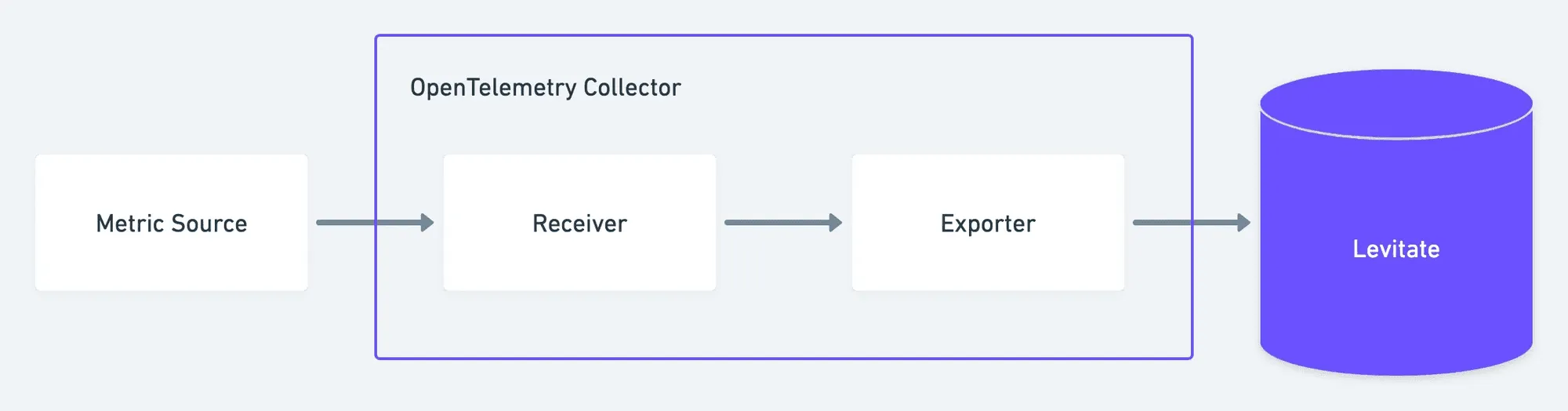
Last9 integrates natively with OpenTelemetry, with no wrappers or agents in the middle. Spans flow in over OTLP (HTTP or gRPC), and the system handles ingestion, correlation, and visualization at scale.
Ingest and Retain at Scale
Span data is accepted over OTLP and preserved with full fidelity, even at high cardinality. The ingestion layer manages millions of spans per second, allowing teams to instrument deeply without worrying about sampling or data drops.
Trace Analytics
Once data lands, the analytics engine groups spans into traces, identifies slow paths, and highlights recurring failure points or latency hotspots. Instead of sifting through raw timelines, engineers see which operations impact performance and cost.
Search, Filter, and Debug Faster
Every span attribute, from service.name to http.status_code, is indexed for filtering. Teams can isolate failing regions, endpoints, or dependencies within seconds and move directly from symptom to cause.
Visualize Distributed Interactions
Span data turns into real-time service maps and dependency graphs that show how systems communicate. These visualizations make it easier to trace a request through microservices, identify bottlenecks, and understand how changes ripple across systems.
Correlate Across Signals
Spans carry their trace and span IDs across signals, letting you jump from a latency spike in metrics to the exact trace, and from there to the relevant logs. You get full-context observability without manual stitching.
Start observing with OpenTelemetry and Last9 today. If you’d like a closer look, book a walkthrough with our team.
FAQs
What is an OpenTelemetry Span?
A Span represents a single operation within a trace, for example an HTTP request, a database query, or a background job execution. Each Span contains timing data (start and end timestamps), attributes (key-value pairs that describe the operation), events, and a unique context (Trace ID, Span ID, and optional Parent ID). Together, Spans form a trace that describes how a request flows across multiple services.
What is the Span Lifecycle in OpenTelemetry?
The lifecycle of a Span typically follows four stages:
- Creation: The application or SDK starts a new Span when an operation begins.
- Activation: The Span becomes the “current” span, meaning it’s active in the current context.
- Recording: During execution, the Span captures attributes, events, and status information.
- End: The Span is ended, finalizing timestamps and exporting data to the configured backend (via OTLP or another exporter).
What is a Span Attribute in OpenTelemetry?
Span attributes are key-value pairs that describe details about an operation. They help you filter and analyze traces later.
For example:
http.method = "POST"http.url = "https://api.example.com/orders"db.system = "postgresql"user.id = "42"Attributes add context, making it easier to correlate traces with specific endpoints, regions, or customers.
What is the difference between logs and Span events?
Logs and Span events both describe something that happened, but at different levels:
- Logs are standalone, time-stamped messages. They can exist even without tracing, and usually provide verbose, human-readable details.
- Span events are structured messages within a Span. They’re tied to that Span’s timeline and context.
Think of it like this: logs tell you what happened; span events show when and where it happened within the request flow.
What is the difference between a trace and a Span?
A trace represents the entire journey of a request across multiple services.
A Span represents one segment of that journey: a single operation within the trace.
Example:
A checkout request trace might include these Spans:
frontend: GET /checkoutpayment-service: POST /chargeinventory-service: GET /items
Together, these Spans form one trace describing the full transaction.
What are some common challenges when implementing distributed tracing?
Teams often run into similar issues:
- Over-instrumentation: Creating too many Spans adds cost and noise.
- Inconsistent naming: Hard to correlate operations across services.
- High-cardinality attributes: Inflate storage and slow down queries.
- Broken context propagation: Missing or incorrect trace context across async or network boundaries.
Balancing detail with clarity, and ensuring context flows correctly, determines how effective your tracing setup is.
What are Span Kinds?
Span kinds define a Span’s role in the request flow. OpenTelemetry supports five:
- CLIENT: Outgoing request from one service.
- SERVER: Request handled by a service.
- PRODUCER: Message or event published.
- CONSUMER: Message or event processed.
- INTERNAL: Operation within a single service.
This classification makes trace visualization clearer and helps group similar operations.
What are Span Attributes?
Span attributes are metadata that describe what the Span did and where it happened.
Common examples:
service.name = "checkout-service"host.name = "ip-10-0-0-1"deployment.environment = "staging"http.status_code = 200
Attributes make traces searchable, filterable, and more meaningful in analysis.
How can I add custom events to OpenTelemetry Spans?
You can attach events to a Span to record significant actions during its execution.
Example in Python:
with tracer.start_as_current_span("process_order") as span: span.add_event("Cache miss for user_id=42") span.add_event("Retrying payment API")Each event is timestamped and stored with the Span, helping you understand when something happened inside the operation.
How do you add events to a Span in OpenTelemetry?
Here’s a Java example:
Span span = tracer.spanBuilder("checkout").startSpan();span.addEvent("Payment request sent");span.addEvent("Payment confirmed", Attributes.of(stringKey("order.id"), "1234"));span.end();Events can carry attributes too, giving you context for debugging (e.g., retry counts, cache misses, or error codes).
What is span kind in OpenTelemetry?
Span kind is a field that describes a Span’s role in the request flow, so tracing tools can render and group operations correctly. OpenTelemetry defines five kinds: SERVER (a service handling an incoming request), CLIENT (an outgoing request to another service), PRODUCER (a message or event published), CONSUMER (a message or event processed), and INTERNAL (work done inside a single service). Setting the right kind separates external calls from internal work in your traces.
What are span links in OpenTelemetry?
Span links connect a Span to one or more other Spans, often across different traces, when the work is related but not a direct parent-child call. They carry the linked Span’s context (Trace ID and Span ID) plus optional attributes. Typical uses are batch processing (one Span linking to many messages) and fan-in (a Span aggregating results from several upstream traces), where a strict trace tree would otherwise lose the relationship.


