We wrote this post when our metrics product was called Levitate, a name we used until the end of 2024. Last9 now supports metrics, logs, traces, and profiles, so we use one name: Last9.
We are releasing the health dashboard for all Last9 clusters. The health dashboard will help in understanding the performance and state of each Last9 luster. It will give you a complete picture of the Last9 cluster performing in real-time.
Consider it same as status page for each Last9 cluster, but one that you can customize, set alerts on and can take full advantage of!
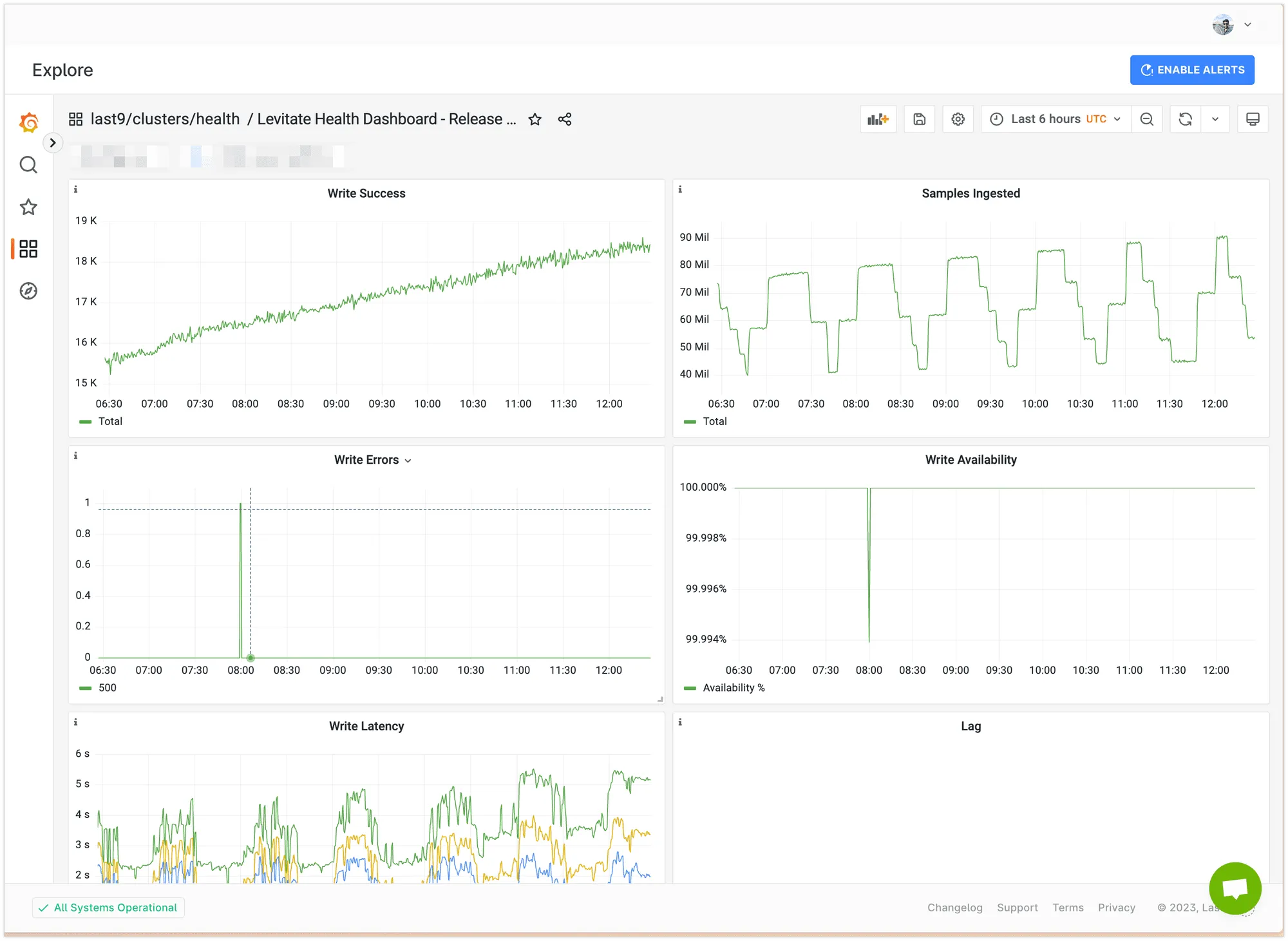
The health dashboard contains information such as
- How many write requests are succeeding?
- Rate of sample ingestion
- Read and Write availability
- Ingestion lag and latency
- Cardinality limits
- …and many more failure modes.
The complete list can be found here.
| Metric | Panel Name | Aggregation | Panel Type | Comments |
|---|---|---|---|---|
| Write Success | Write | sum | Time Series | |
| Ingestion TPS | Samples Ingested | max | Time Series | |
| Write Errors | Write | sum | Time Series | |
| Write Availability | Write Availability | sum | Time Series | % of write requests that failed |
| Write Latency | Write Latency | 0th → 10th Decile | Histogram | |
| Ingestion Lag | Lag | avg | Time Series | |
| Read Success | Read | sum | Time Series | |
| Read Errors | Read | sum | Time Series | |
| Read Latency | Read Latency | 0th → 10th Decile | Histogram | |
| Cardinality Limited Metrics | High Cardinality | metric cardinality > 1M | Time Series | |
| Cardinality Limiter early warning | High Cardinality | suspicious metric cardinality > 60M | Time Series | Metrics that might hit the cardinality limit |
| Ingest Errors | Bytes dropped | sum | Time Series | Samples permanently failed to ingest |
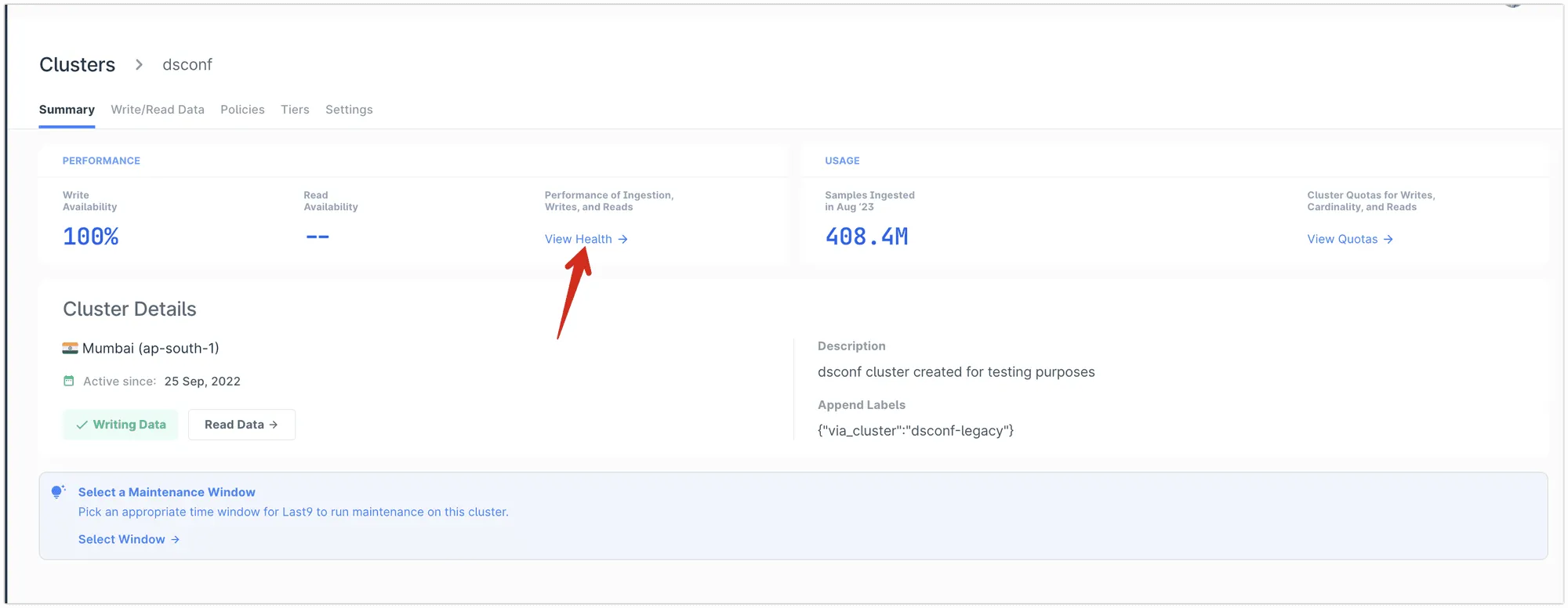
Last9 health dashboard is available for all Last9 clusters in the Embedded Grafana automatically; click on View Health.