

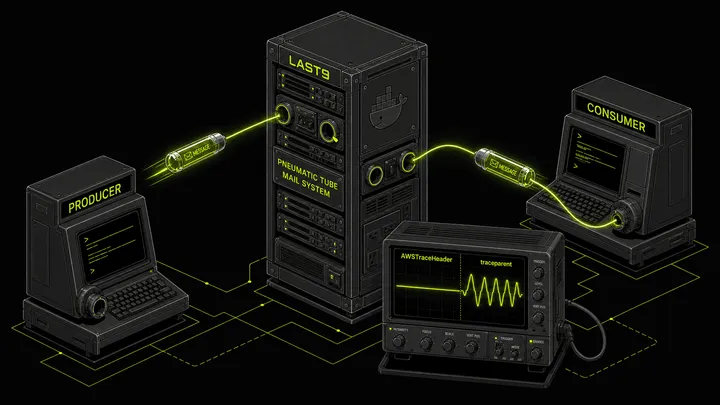
Deploying to AWS every time you want to test an SQS workflow isn’t a feedback loop — it’s a waiting room. A Lambda triggered by SQS, a consumer that fans out to DynamoDB, a producer that chains to SNS: the roundtrip from code change to observable result can take minutes. LocalStack collapses that to sub-seconds.
But there’s a trap most guides don’t mention: OpenTelemetry’s default AWS SDK instrumentation uses AWSTraceHeader for SQS message propagation, and free LocalStack doesn’t implement it. Your traces silently break — producer span ends, consumer span starts fresh, no connection between them.
This post covers how to set up LocalStack for SQS testing, wire it with a boto3 producer and a local Lambda consumer, and — critically — fix the OTel propagation issue so your trace context actually flows end to end.
Why LocalStack
LocalStack runs a full AWS API-compatible stack in a single Docker container. You point boto3, aws-sdk, or the aws CLI at http://localhost:4566 instead of AWS endpoints. Same API surface, no credentials, no cost, no cleanup.
The practical benefit is a tighter inner loop: spin up a queue, publish a message, verify the consumer saw it and exported the right spans — all in a shell script that takes 30 seconds instead of 5 minutes.
LocalStack’s free tier supports SQS, S3, DynamoDB, and several other services. Lambda support (including invocation via SQS triggers) requires the Pro tier. This post covers the free-tier pattern: running the Lambda handler locally yourself and feeding it SQS messages from LocalStack.
Setting Up LocalStack
The simplest setup is Docker Compose:
version: "3.8"services: localstack: image: localstack/localstack container_name: localstack-sqs ports: - "4566:4566" environment: - SERVICES=sqs,s3 - DEBUG=0docker compose up -dWait for it to be healthy before running any commands:
until curl -s http://localhost:4566/_localstack/health | grep -q '"sqs": "available"'; do sleep 1doneecho "LocalStack ready"Or if you prefer a one-liner without Compose:
docker run -d --name localstack-sqs -p 4566:4566 \ -e SERVICES=sqs localstack/localstackSQS Basics on LocalStack
Create a Queue
AWS_ACCESS_KEY_ID=test AWS_SECRET_ACCESS_KEY=test \aws --endpoint-url=http://localhost:4566 \ sqs create-queue --queue-name my-test-queue --region us-east-1Response:
{ "QueueUrl": "http://sqs.us-east-1.localhost.localstack.cloud:4566/000000000000/my-test-queue"}Queue URL Format
LocalStack queue URLs use sqs.{region}.localhost.localstack.cloud:4566, not sqs.{region}.amazonaws.com. This matters if your application code parses the queue URL to extract a queue name or region.
The safe pattern:
queue_name = QUEUE_URL.rstrip("/").split("/")[-1]This works correctly against both amazonaws.com and localhost.localstack.cloud URLs.
Send a Message with Trace Context
AWS_ACCESS_KEY_ID=test AWS_SECRET_ACCESS_KEY=test \aws --endpoint-url=http://localhost:4566 \ sqs send-message \ --queue-url "http://sqs.us-east-1.localhost.localstack.cloud:4566/000000000000/my-test-queue" \ --message-body '{"action": "process", "file": "report.csv"}' \ --message-attributes '{"traceparent":{"DataType":"String","StringValue":"00-abc123def456abc123def456abc12345-def456abc123def4-01"}}' \ --region us-east-1Receive a Message
AWS_ACCESS_KEY_ID=test AWS_SECRET_ACCESS_KEY=test \aws --endpoint-url=http://localhost:4566 \ sqs receive-message \ --queue-url "http://sqs.us-east-1.localhost.localstack.cloud:4566/000000000000/my-test-queue" \ --message-attribute-names All \ --region us-east-1The --message-attribute-names All flag is critical. Without it, MessageAttributes — including your trace context headers — are not returned. This bites teams regularly and is easy to miss in the AWS docs.
The AWS_ENDPOINT_URL Pattern
The cleanest way to make the same code work against LocalStack locally and real AWS in production is the AWS_ENDPOINT_URL environment variable:
import osimport boto3
sqs = boto3.client(    "sqs",    region_name=os.environ.get("AWS_REGION", "us-east-1"),    endpoint_url=os.environ.get("AWS_ENDPOINT_URL"),  # None in prod)
When endpoint_url=None, boto3 uses real AWS. Set AWS_ENDPOINT_URL=http://localhost:4566 in your .env or shell and the same client hits LocalStack. No code changes, no conditional logic, no environment-specific client factories.
The OTel Propagation Trap
Most LocalStack guides skip this.
When you instrument an SQS producer with OpenTelemetry’s AWS SDK instrumentation, the default propagation mechanism injects trace context using the AWSTraceHeader message attribute — which uses X-Ray’s Root=...;Parent=...;Sampled=... format. The consumer is expected to extract this header and continue the trace.
Free LocalStack does not implement the X-Amzn-Trace-Id header handling. The header gets injected by the producer, but when the consumer reads the message and tries to extract context, it finds nothing it understands. The trace breaks silently — producer span closes, consumer opens a new root span with a different trace ID.
The Fix
Force OTel to use W3C traceparent for SQS propagation instead of AWSTraceHeader.
Python (opentelemetry-instrumentation-botocore):
The BotocoreInstrumentor accepts a propagator parameter. Pass TraceContextTextMapPropagator (W3C) to replace the default AwsXRayPropagator:
from opentelemetry.instrumentation.botocore import BotocoreInstrumentorfrom opentelemetry.trace.propagation.tracecontext import TraceContextTextMapPropagator
BotocoreInstrumentor().instrument(    # Override default AwsXRayPropagator with W3C TraceContext    # Required: free LocalStack doesn't handle X-Amzn-Trace-Id headers    propagator=TraceContextTextMapPropagator(),)
Alternatively, use opentelemetry-instrumentation-boto3sqs instead of botocore. The boto3sqs instrumentation uses the globally configured propagator (W3C TraceContext by default) rather than hardcoding X-Ray:
from opentelemetry.instrumentation.boto3sqs import Boto3SQSInstrumentor
Boto3SQSInstrumentor().instrument()  # Uses global propagator — W3C by default
Java (opentelemetry-java-instrumentation):
-Dotel.instrumentation.aws-sdk.experimental-use-propagator-for-messaging=trueWith either fix, the OTel SDK injects and extracts traceparent as a standard SQS MessageAttribute (type String). LocalStack handles this correctly — it’s just a string stored with the message.
If you’re using OpenTelemetry auto-instrumentation agents, the Java system property above applies at startup. For Python auto-instrumentation, switch to the boto3sqs instrumentor which respects the global propagator.
Verifying Propagation Works
After sending a message from an instrumented producer, check the MessageAttributes in the received message:
response = sqs.receive_message(    QueueUrl=QUEUE_URL,    MessageAttributeNames=["All"],    MaxNumberOfMessages=1,)
msg = response["Messages"][0]attrs = msg.get("MessageAttributes", {})print("traceparent:", attrs.get("traceparent", {}).get("StringValue"))# Should print: 00-<trace-id>-<span-id>-01
If you see a traceparent value here, propagation is working. If traceparent is absent and you see AWSTraceHeader instead, the fix above isn’t applied yet.
End-to-End Test Pattern: SQS → Lambda
Here’s the complete local test flow for a Python SQS producer → Lambda consumer.
1. Start LocalStack and Create Queue
docker run -d --name localstack-sqs -p 4566:4566 localstack/localstack
until docker inspect localstack-sqs --format='{{.State.Health.Status}}' | grep -q healthy; do  sleep 1done
AWS_ACCESS_KEY_ID=test AWS_SECRET_ACCESS_KEY=test \aws --endpoint-url=http://localhost:4566 \  sqs create-queue --queue-name test-queue --region us-east-1
2. Run the Instrumented Producer
export SQS_QUEUE_URL="http://sqs.us-east-1.localhost.localstack.cloud:4566/000000000000/test-queue"export AWS_ENDPOINT_URL="http://localhost:4566"export AWS_ACCESS_KEY_ID=testexport AWS_SECRET_ACCESS_KEY=testexport OTEL_SERVICE_NAME="producer-service"export OTEL_EXPORTER_OTLP_ENDPOINT="https://otlp.last9.io"export OTEL_EXPORTER_OTLP_HEADERS="authorization=Basic <your-last9-credentials>"
# producer.py must use BotocoreInstrumentor(propagator=TraceContextTextMapPropagator())# or Boto3SQSInstrumentor() — see OTel Propagation Trap section abovepython producer.py
3. Read the Message and Verify Trace Context
MSG=$(AWS_ACCESS_KEY_ID=test AWS_SECRET_ACCESS_KEY=test \  aws --endpoint-url=http://localhost:4566 \  sqs receive-message \  --queue-url "$SQS_QUEUE_URL" \  --message-attribute-names All \  --region us-east-1)
echo "$MSG" | jq '.Messages[0].MessageAttributes.traceparent.StringValue'
You should see a valid traceparent value. Copy the trace ID portion for verification later.
4. Invoke the Lambda Handler Locally
When testing a Lambda handler locally (outside of the real Lambda runtime), you need to convert the SQS message into the Event Source Mapping (ESM) format. The ESM uses lowercase keys (stringValue, dataType) while the raw SQS SDK response uses capitalized keys (StringValue, DataType):
import json
raw_msg = json.loads(MSG)["Messages"][0]
# Convert MessageAttributes from SDK format to ESM formatdef to_esm_attrs(attrs):    return {        k: {            "stringValue": v["StringValue"],            "dataType": v["DataType"],        }        for k, v in attrs.items()    }
record = {    "messageId": raw_msg["MessageId"],    "receiptHandle": raw_msg["ReceiptHandle"],    "body": raw_msg["Body"],    "messageAttributes": to_esm_attrs(raw_msg.get("MessageAttributes", {})),    "eventSource": "aws:sqs",    "eventSourceARN": "arn:aws:sqs:us-east-1:000000000000:test-queue",    "awsRegion": "us-east-1",}
event = {"Records": [record]}
# Call the handler directlyfrom lambda_handler import handlerresult = handler(event, None)print(result)
The ESM format mismatch is a common source of confusion when testing Lambda handlers locally — the real ESM does this conversion automatically, but you’re doing it manually here.
5. Verify Traces in Last9
Both producer-service and lambda-consumer spans should appear under the same trace ID in the Last9 Traces view. If they share a trace ID and the consumer span shows producer-service as its parent, end-to-end propagation is working correctly.
Once traces are flowing, tracking SQS queue depth and processing lag metrics alongside traces gives you the full picture: not just that a message was processed, but how long it sat in the queue first.
The SQS Peek Endpoint
LocalStack ships a non-destructive queue inspection endpoint at /_aws/sqs/messages. Unlike receive-message, reading from this endpoint does not make messages invisible or consume them. Useful during debugging when you want to verify message contents without affecting your consumer:
curl -s "http://localhost:4566/_aws/sqs/messages?QueueUrl=http://sqs.us-east-1.localhost.localstack.cloud:4566/000000000000/my-test-queue" \ | jq '.messages[].body'Pass ShowInvisible=true to also see in-flight messages (already received but not yet deleted):
curl -s "http://localhost:4566/_aws/sqs/messages?QueueUrl=http://sqs.us-east-1.localhost.localstack.cloud:4566/000000000000/my-test-queue&ShowInvisible=true&ShowDelayed=true" \ | jq .This lets you verify messages are landing in the queue before starting the consumer, without racing against the visibility timeout.
Common Pitfalls
1. Queue URL Mismatch
LocalStack queue URLs use localhost.localstack.cloud not amazonaws.com. If your code constructs queue URLs by building strings from region/account-id, it will produce the wrong URL for LocalStack. Use the URL returned by create-queue or get-queue-url directly.
2. Missing MessageAttributeNames=["All"]
Without this parameter on receive_message, MessageAttributes are not returned. Trace headers, custom attributes, and any out-of-band metadata will be silently absent. Always pass it.
3. ESM vs SDK Message Attribute Format
The real Lambda Event Source Mapping lowercases MessageAttribute keys (stringValue, dataType). Raw SQS SDK responses use capitalized keys (StringValue, DataType). Handlers that work in real Lambda will fail locally if you pass SDK-format messages directly — your OTel consumer instrumentation extracts traceparent by key name and will miss it.
4. AWSTraceHeader Propagation Breaking Traces
If producer spans have no consumer continuation and MessageAttributes contain AWSTraceHeader instead of traceparent, the default X-Ray propagator is still active. Symptoms: every Lambda invocation starts a fresh root span with a different trace ID. Fix: pass propagator=TraceContextTextMapPropagator() to BotocoreInstrumentor().instrument(), or switch to Boto3SQSInstrumentor.
5. Port Conflicts
LocalStack uses port 4566. Remap if needed: -p 14566:4566, then update AWS_ENDPOINT_URL accordingly.
LocalStack vs Real AWS: When to Trust Local Results
LocalStack is high-fidelity for core SQS operations — create/send/receive/delete queues and messages, FIFO queues, message attributes, visibility timeouts. It’s less reliable for IAM policy evaluation, service-to-service event triggers (SQS → Lambda invocation on free tier), and any X-Ray/CloudWatch integration.
The practical rule: use LocalStack to verify your application code handles SQS messages correctly, propagates trace context, and processes payloads as expected. For anything touching IAM, Lambda invocation triggers, or AWS-managed integrations, promote to a staging environment.
CloudWatch vs OpenTelemetry is a useful frame here: if your observability depends on AWS-native tooling (X-Ray, CloudWatch), LocalStack gaps will bite you. If you’re on OTel with W3C propagation (which the fix above establishes), LocalStack is a reliable local proxy.
For investigating issues that only appear in production, the Last9 MCP server lets you query live traces and metrics directly from your local development environment without switching to a browser — useful when you’ve reproduced locally and want to compare against production behavior.
Cleanup
docker rm -f localstack-sqsReferences
- Instrumenting AWS Lambda Functions with OpenTelemetry
- Amazon SQS Metrics: Monitor, Debug, and Optimize Your Message Queues
- OpenTelemetry Agents: A Production Guide for Zero-Code Instrumentation
- CloudWatch vs OpenTelemetry: Choosing What Fits Your Stack
- Last9 MCP Server: Fix Production Issues in Your Local Environment
- LocalStack SQS Documentation
- Python SQS → Lambda OTel example


