

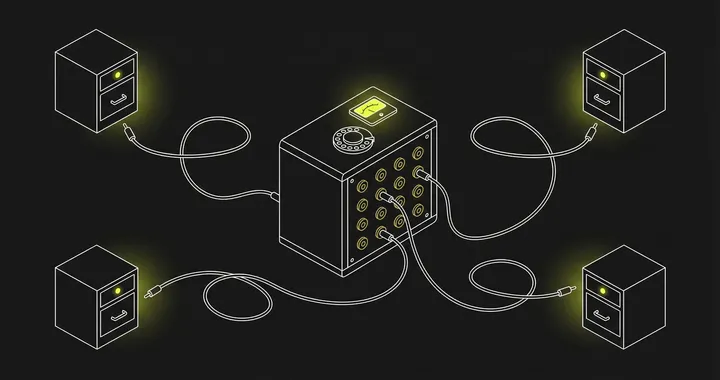
Sharding splits a single database into multiple smaller databases, each holding a subset of the data. Instead of one PostgreSQL instance handling 500 million rows, you spread them across five instances of 100 million rows each.
The idea is simple. The execution is not.
This guide covers how sharding works, the common strategies, when it makes sense, and the operational cost most articles skip over.
What is database sharding?
Database sharding is a horizontal scaling technique that splits a single database into multiple smaller databases (shards), each on a separate server. Data is distributed using a shard key — a column that determines which shard holds each row. Sharding increases write throughput and storage capacity beyond what a single instance can handle. The main strategies are hash-based (even distribution), range-based (good for range queries), directory-based (flexible placement), and geographic (data residency). Sharding adds operational complexity: cross-shard queries, rebalancing, schema migrations, and per-shard monitoring all become harder.
How Database Sharding Works
A sharded database distributes rows across multiple database instances (shards) based on a shard key — a column or set of columns that determines which shard holds a given row.
When your application writes a new row, it hashes or evaluates the shard key and routes the write to the correct shard. Reads work the same way: if the query includes the shard key, the application knows exactly which shard to hit.
The problem starts when a query does not include the shard key. In that case, the application (or a routing proxy) must fan out the query to every shard and merge the results. These scatter-gather queries are where sharding gets expensive.
Sharding Strategies
Hash-Based Sharding
Apply a hash function to the shard key and use modulo to pick the shard:
shard_number = hash(user_id) % number_of_shardsThis distributes data evenly and avoids hotspots. The tradeoff: range queries across the shard key become scatter-gather operations because adjacent values land on different shards.
Range-Based Sharding
Assign contiguous ranges of the shard key to each shard. Users 1–1,000,000 go to shard A, 1,000,001–2,000,000 to shard B, and so on.
Range sharding keeps related data together, which helps range scans. But it creates hotspots when new data clusters at one end of the range — the shard holding the newest data gets all the write traffic.
Directory-Based Sharding
A lookup table maps each shard key value to a specific shard. This gives you full control over placement but adds a single point of failure (the directory) and a network hop on every query.
Geographic Sharding
Route data to shards based on region. European users go to the EU shard, US users to the US shard. This reduces latency for read-heavy workloads and can help with data residency requirements (GDPR, for example).
Sharding vs Partitioning
These terms get used interchangeably, but they are different.
Partitioning splits a table into smaller pieces within the same database instance. PostgreSQL’s declarative partitioning and MySQL’s native partitioning both do this. The database engine handles routing transparently — your application does not change.
Sharding splits data across multiple database instances, typically on separate servers. Your application (or a proxy layer) must handle routing.
The key difference: partitioning scales storage and query performance on a single machine. Sharding scales write throughput and total capacity across machines.
Start with partitioning. If a single instance cannot handle the write volume or storage requirements even after performance tuning, then consider sharding.
Picking a Shard Key
The shard key is the most consequential decision in a sharding setup. A bad shard key creates problems you cannot fix without resharding (which means migrating all your data).
Good shard keys have three properties:
- High cardinality: Enough distinct values to distribute evenly across shards. A boolean column is a terrible shard key.
- Even distribution: Values should appear with roughly equal frequency. If 80% of your users are in one country,
countryis a bad shard key. - Query alignment: Most of your queries should include the shard key. If your application queries by
user_id90% of the time,user_idis a strong candidate.
Common shard keys by use case:
| Use Case | Shard Key | Why |
|---|---|---|
| Multi-tenant SaaS | tenant_id | All queries are scoped to a tenant |
| Social platform | user_id | Most reads and writes are per-user |
| E-commerce | order_id or customer_id | Depends on query patterns |
| Time-series data | time_bucket + source_id | Prevents hot shards from recent writes |
When to Shard (and When Not To)
Sharding is a last resort, not a starting point. Before you shard, exhaust these alternatives:
- Vertical scaling: Bigger instance, more RAM, faster disks. Often cheaper than the engineering cost of sharding.
- Read replicas: If reads are the bottleneck, add replicas instead of sharding.
- Indexing: Missing or poorly designed indexes cause more performance problems than data volume. Fix these first.
- Query optimization: Rewriting expensive queries or fixing N+1 patterns can buy significant headroom.
- Partitioning: Table partitioning on a single instance handles many of the same problems with far less operational complexity.
- Connection pooling: If your database is hitting connection limits rather than CPU or disk, a connection pooler like PgBouncer solves it without sharding.
Shard when:
- A single instance cannot handle write throughput even after tuning
- Storage requirements exceed what a single node can hold
- You need geographic data isolation for compliance
Operational Cost of Sharding
Most sharding guides stop at the architecture. The real cost shows up in operations.
Cross-Shard Queries
Any query that does not include the shard key hits every shard. Aggregations, joins across entities on different shards, and analytics queries all become scatter-gather operations. These are slower and more resource-intensive than single-shard queries.
Rebalancing
When you add a new shard, you need to redistribute data. Hash-based sharding with consistent hashing minimizes data movement, but it still means migrating rows while the system is live. Range-based sharding requires splitting ranges and moving data between shards.
Schema Changes
An ALTER TABLE that takes 30 seconds on one database takes 30 seconds on each of your 16 shards — and they all need to succeed. Rolling schema migrations across shards requires tooling and coordination that does not exist out of the box.
Monitoring Per-Shard Health
Each shard is an independent database instance with its own CPU, memory, disk, and connection pool. A latency spike on one shard affects only the users whose data lives on that shard, making it harder to detect and debug.
You need per-shard metrics for:
- Query latency (p50, p95, p99)
- Queries per second
- Connection pool utilization
- Replication lag (if shards have replicas)
- Disk usage and growth rate
- Lock wait times
Tracking these across 8 or 16 shards means your database monitoring setup generates significantly more metric series. This is where high-cardinality metrics become a real concern — shard_id as a label multiplies every database metric by your shard count.
Database-Specific Sharding Options
Different databases handle sharding differently:
- PostgreSQL: No native sharding. Citus (now part of Azure) adds distributed tables. Vitess provides a proxy layer originally built for YouTube’s MySQL but now supports PostgreSQL too.
- MySQL: Vitess is the standard answer. ProxySQL can route queries but does not manage shard placement.
- MongoDB: Built-in sharding with automatic chunk balancing. You pick a shard key and MongoDB handles routing and rebalancing. The simplest path if you are already on MongoDB.
- CockroachDB / TiDB / YugabyteDB: Distributed SQL databases that handle sharding internally. Your application sees a single database endpoint. The tradeoff is operational complexity of the distributed database itself.
Key Takeaways
- Sharding splits data across multiple database instances to scale writes and storage beyond a single machine
- Pick your shard key based on query patterns, not data distribution alone
- Exhaust vertical scaling, read replicas, indexing, query optimization, and partitioning before sharding
- The operational cost — cross-shard queries, rebalancing, schema changes, per-shard monitoring — is the real price of sharding
- Monitor each shard independently and watch for hotspots, latency imbalances, and connection pool exhaustion
See Every Database in Your Cloud from One Place
Most teams run five or six different databases across dev, staging, and production, and nobody has a single view of all of them. When a query starts timing out, the first question is always “which database is this hitting?” followed by “who owns that service?”
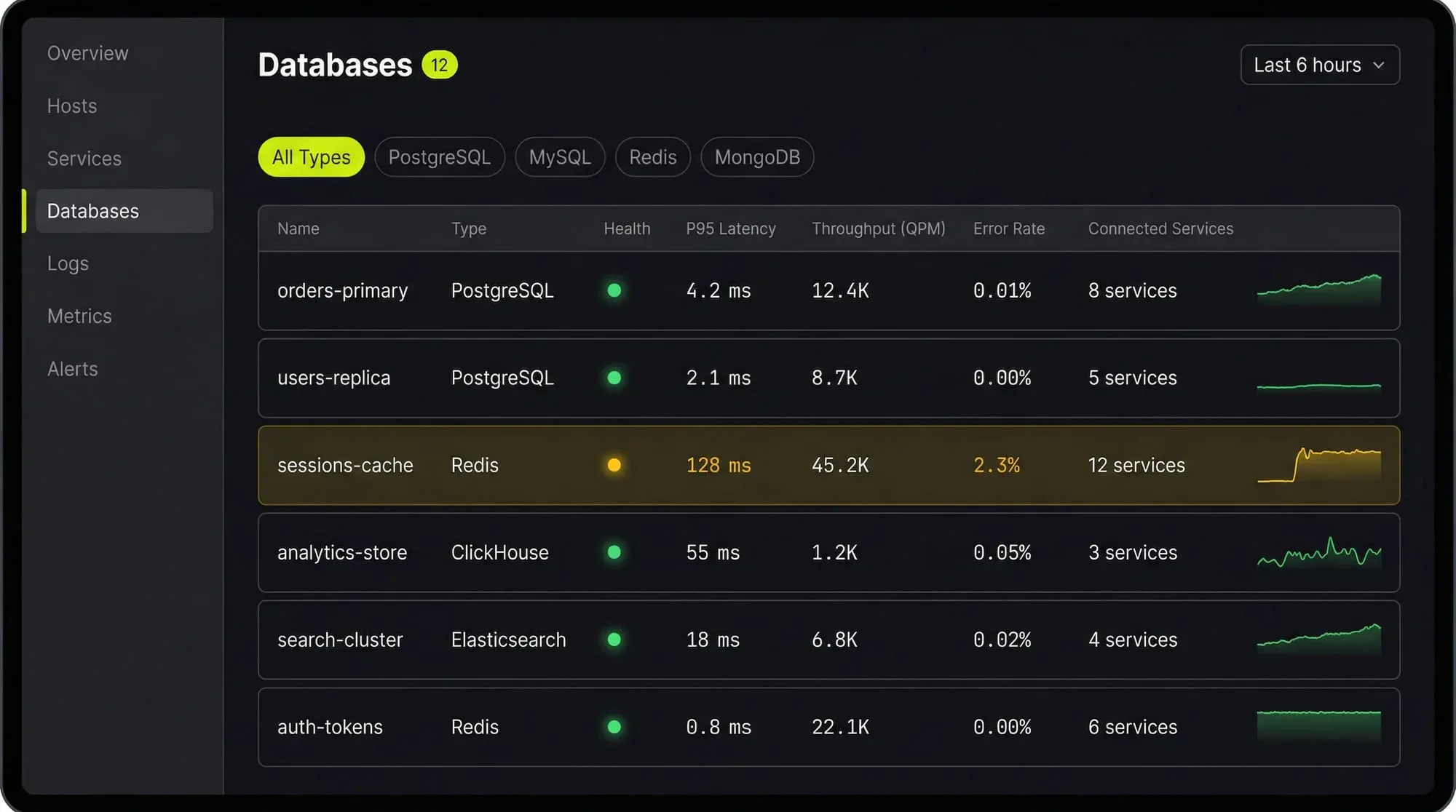
Last9’s Discover Databases gives you that single view. It automatically detects every database in your cloud (PostgreSQL, MySQL, MongoDB, Redis, Elasticsearch, and more) and shows them alongside the services that talk to them and the infrastructure they run on. You get:
- Every database, one screen: No more hunting through AWS consoles, Kubernetes dashboards, and team wikis to figure out what databases exist and who owns them
- Service-to-database mapping: See which services call which databases, so when a database is slow you immediately know the blast radius
- Infrastructure context: CPU, memory, disk, and connection pool metrics for the underlying host or pod, right next to query performance
- Traces to queries: Click from a slow API endpoint trace directly into the database query that caused the latency
If you are tuning databases by hand and correlating metrics across three different tools, Discover Databases puts everything in one place so you can find the bottleneck in minutes instead of hours.
FAQs
What is the difference between sharding and replication?
Replication copies the same data to multiple instances for read scaling and high availability. Sharding splits different data across instances for write scaling and storage capacity. They solve different problems and are often used together — each shard can have its own replicas.
How many shards should I start with?
Start with the minimum that solves your immediate problem. Over-sharding creates unnecessary operational complexity. If you need 3 shards today, start with 4 (a power of 2 makes consistent hashing simpler) rather than 64.
Can I shard an existing database without downtime?
It depends on your setup. Tools like Vitess and Citus support online resharding. Rolling your own typically requires dual-write periods, data migration, and careful cutover. Plan for weeks of work, not days.
What happens when a single shard goes down?
All data on that shard becomes unavailable. If the shard has replicas, a failover can restore access in seconds. Without replicas, you are looking at recovery from backup. This is why production sharded deployments always pair sharding with replication.


