

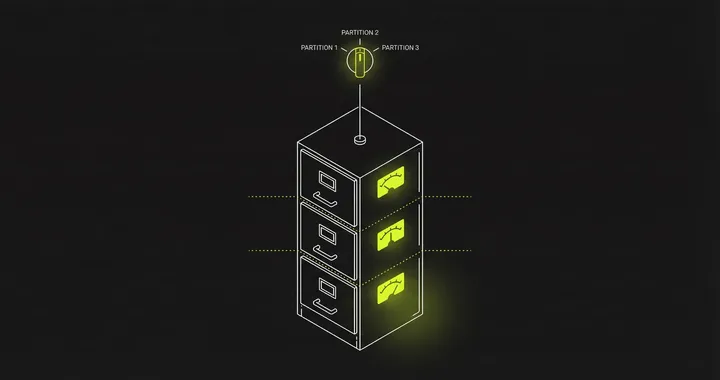
Partitioning splits a large table into smaller, more manageable pieces within the same database instance. The database engine handles routing queries to the right partition automatically — your application code does not change.
This is different from sharding, which distributes data across separate database servers. Partitioning is simpler to set up, simpler to operate, and solves more problems than most teams realize before they reach for sharding.
What is database partitioning?
Database partitioning splits a large table into smaller physical segments (partitions) within the same database instance. The database engine routes queries to the correct partition automatically based on a partition key. The three main strategies are range partitioning (splitting by date or numeric ranges), list partitioning (splitting by categorical values like region), and hash partitioning (even distribution using a hash function). Partitioning improves query performance through partition pruning, simplifies maintenance (vacuum, analyze, data retention), and does not require application changes. It differs from sharding, which distributes data across separate servers.
How Database Partitioning Works
When you partition a table, the database creates multiple physical storage segments (partitions) behind a single logical table name. Your queries still reference orders, but PostgreSQL or MySQL reads from and writes to the correct partition based on the partition key.
The partition key is a column (or set of columns) that determines which partition holds a given row. Choosing the right partition key depends on your query patterns — the same decision process as picking an index, but at the table level.
Types of Partitioning
Range Partitioning
Split data by contiguous ranges of the partition key. This is the most common strategy for time-series and event data.
PostgreSQL example:
CREATE TABLE orders (    id BIGINT,    created_at TIMESTAMP,    customer_id INT,    total DECIMAL(10,2)) PARTITION BY RANGE (created_at);
CREATE TABLE orders_2025_q1 PARTITION OF orders    FOR VALUES FROM ('2025-01-01') TO ('2025-04-01');
CREATE TABLE orders_2025_q2 PARTITION OF orders    FOR VALUES FROM ('2025-04-01') TO ('2025-07-01');
Queries that filter on created_at only scan the relevant partition. A query for January data skips Q2, Q3, and Q4 entirely. PostgreSQL calls this partition pruning.
Range partitioning works well when:
- Data has a natural time dimension
- Queries almost always include a date range
- You want to drop old data by detaching a partition instead of running
DELETEstatements
List Partitioning
Split data by discrete values. Good for categorical data like region, status, or tenant.
CREATE TABLE events (    id BIGINT,    region TEXT,    payload JSONB) PARTITION BY LIST (region);
CREATE TABLE events_us PARTITION OF events FOR VALUES IN ('us-east', 'us-west');CREATE TABLE events_eu PARTITION OF events FOR VALUES IN ('eu-west', 'eu-central');CREATE TABLE events_ap PARTITION OF events FOR VALUES IN ('ap-south', 'ap-east');
Hash Partitioning
Split data evenly across a fixed number of partitions using a hash of the partition key. Useful when there is no natural range or list to split on.
CREATE TABLE sessions (    id BIGINT,    user_id INT,    data JSONB) PARTITION BY HASH (user_id);
CREATE TABLE sessions_p0 PARTITION OF sessions FOR VALUES WITH (MODULUS 4, REMAINDER 0);CREATE TABLE sessions_p1 PARTITION OF sessions FOR VALUES WITH (MODULUS 4, REMAINDER 1);CREATE TABLE sessions_p2 PARTITION OF sessions FOR VALUES WITH (MODULUS 4, REMAINDER 2);CREATE TABLE sessions_p3 PARTITION OF sessions FOR VALUES WITH (MODULUS 4, REMAINDER 3);
Hash partitioning distributes evenly but does not support partition pruning for range queries.
Horizontal vs Vertical Partitioning
The strategies above are all horizontal partitioning — splitting rows across partitions. Every partition has the same columns but different rows.
Vertical partitioning splits columns. You move rarely accessed columns (large text fields, BLOBs, audit metadata) into a separate table and join when needed. This keeps the hot table narrow and cache-friendly.
In practice, horizontal partitioning is what people mean when they say “partitioning.” Vertical partitioning is closer to a schema design decision than a partitioning strategy.
Partitioning vs Sharding
These solve different problems at different scales.
| Partitioning | Sharding | |
|---|---|---|
| Where | Single database instance | Multiple database servers |
| Routing | Database engine handles it | Application or proxy handles it |
| Scales | Query performance, maintenance | Write throughput, total storage |
| Complexity | Low — DDL changes only | High — application + infrastructure |
| Joins | Work normally | Cross-shard joins are expensive |
| Transactions | ACID as usual | Distributed transactions needed |
Start with partitioning. Move to sharding only when a single instance cannot handle the write volume or storage requirements, even after performance tuning.
Partition Key Selection
The partition key determines whether the database can prune partitions on your queries. A bad partition key means every query scans every partition — worse than having no partitions at all.
Rules:
- Most queries must filter on the partition key. If 90% of your queries filter by date, partition by date.
- The key should appear in WHERE clauses. PostgreSQL can only prune partitions when the partition key is in the query’s filter conditions.
- Watch for joins and aggregations. Queries that join across partitions or aggregate without filtering on the partition key will scan all partitions.
If your queries access data by both customer_id and created_at, consider composite partitioning (PostgreSQL supports sub-partitioning) or pick the dimension that filters out the most data.
PostgreSQL Partitioning
PostgreSQL has supported declarative partitioning since version 10. Key points:
- Partition pruning is on by default (
enable_partition_pruning = on) - Indexes must be created on each partition individually (or use
CREATE INDEX ON parentwhich propagates) - Foreign keys referencing a partitioned table are supported since PostgreSQL 12
VACUUMandANALYZErun per-partition, which helps with maintenance scheduling- Attaching and detaching partitions is a metadata operation — no data movement
For time-based data, create new partitions ahead of time with a cron job or pg_partman, which automates partition creation and retention.
MySQL Partitioning
MySQL supports native partitioning with some limitations compared to PostgreSQL:
- The partition key must be part of every unique index (including the primary key)
- No foreign keys on partitioned tables
- Partition pruning works for range and list partitions, not hash
ALTER TABLE ... REORGANIZE PARTITIONhandles splitting and merging
For InnoDB tables with large datasets, partitioning by range on a date column is the most common and best-supported pattern.
When Partitioning Helps (and When It Does Not)
Partitioning helps when:
- Table has millions of rows and queries filter on a predictable column
- You need to drop old data quickly (detach partition vs.
DELETE FROM ... WHERE date < X) VACUUMon a 500M-row table takes too long — partitioning lets you vacuum smaller segments- Sequential scans on the full table are slow and you can prune 80%+ of partitions
- Slow queries are caused by table size, not missing indexes
Partitioning does not help when:
- Queries do not filter on the partition key (every query hits all partitions)
- The table is small enough that full scans are already fast
- The bottleneck is write throughput on a single instance (this is where sharding comes in)
- You have fewer than a few million rows — the overhead of partition management is not worth it
Monitoring Partitioned Tables
Partitioned tables need slightly different monitoring than regular tables:
- Per-partition row counts: Watch for uneven distribution. One hot partition with 10x the rows means your pruning is not effective.
- Partition pruning effectiveness: Check
EXPLAINoutput forPartitions removed(MySQL) or partition scan counts (PostgreSQL). If your queries consistently scan all partitions, the partition key is wrong. - Maintenance timing: Track
VACUUMandANALYZEduration per partition. A partition that takes significantly longer than others may need further splitting. - Storage per partition: Disk growth should be roughly even across time-based partitions. Spikes indicate workload changes.
Include partition identifiers in your database monitoring metrics so you can spot anomalies at the partition level, not just the table level.
Key Takeaways
- Partitioning splits a table into smaller physical segments within one database — the database handles routing, not your application
- Range partitioning by date is the most common and best-supported strategy
- The partition key must appear in most of your queries or partitioning makes things worse
- Partitioning solves query performance and maintenance problems on a single instance; sharding solves write throughput across multiple instances
- Monitor per-partition metrics to catch uneven distribution and pruning failures early
See Every Database in Your Cloud from One Place
Most teams run five or six different databases across dev, staging, and production, and nobody has a single view of all of them. When a query starts timing out, the first question is always “which database is this hitting?” followed by “who owns that service?”
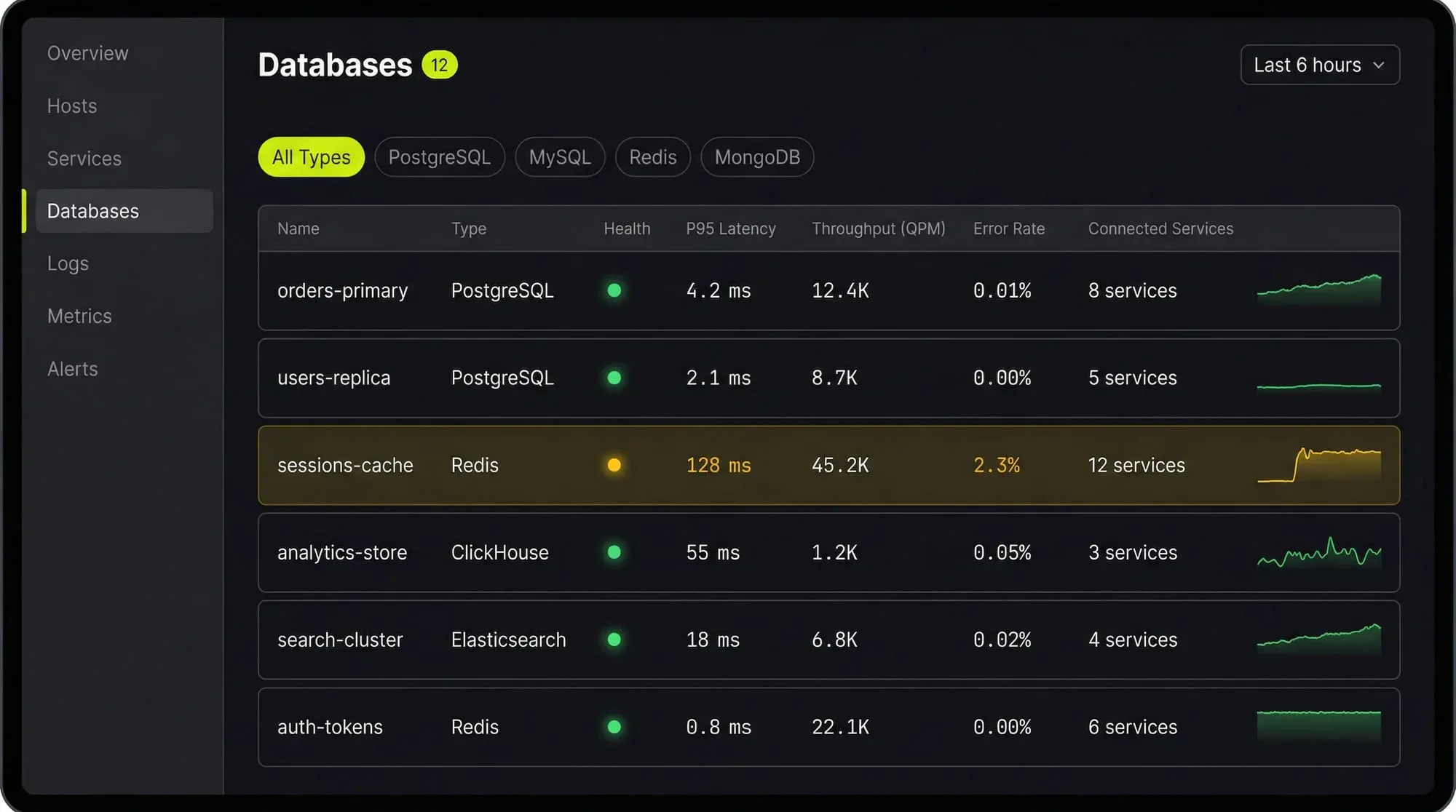
Last9’s Discover Databases gives you that single view. It automatically detects every database in your cloud (PostgreSQL, MySQL, MongoDB, Redis, Elasticsearch, and more) and shows them alongside the services that talk to them and the infrastructure they run on. You get:
- Every database, one screen: No more hunting through AWS consoles, Kubernetes dashboards, and team wikis to figure out what databases exist and who owns them
- Service-to-database mapping: See which services call which databases, so when a database is slow you immediately know the blast radius
- Infrastructure context: CPU, memory, disk, and connection pool metrics for the underlying host or pod, right next to query performance
- Traces to queries: Click from a slow API endpoint trace directly into the database query that caused the latency
If you are tuning databases by hand and correlating metrics across three different tools, Discover Databases puts everything in one place so you can find the bottleneck in minutes instead of hours.
FAQs
How many partitions should a table have?
Keep it practical. For time-based partitioning, monthly partitions work well for most workloads. Quarterly if you have less data, daily if you have a lot. PostgreSQL handles hundreds of partitions, but query planning slows above a few thousand.
Can I partition an existing table without downtime?
In PostgreSQL, you can use pg_partman or manually create a partitioned table, copy data in batches, and swap with ALTER TABLE ... RENAME. In MySQL, ALTER TABLE ... PARTITION BY rewrites the table and locks it. Plan for a maintenance window or use online schema change tools like pt-online-schema-change or gh-ost.
Does partitioning improve write performance?
Slightly. Writes go to a smaller index (the partition’s local index), which is faster than writing to a massive global index. But the database still writes to one instance — if you need to scale writes across machines, you need sharding.
Can I combine partitioning and sharding?
Yes. Many sharded setups use partitioning within each shard. For example, each shard holds data for a range of tenants, and within each shard the data is partitioned by date. This is common in large-scale multi-tenant systems.


